
Listen to this article
How to Turn Lecture Recordings Into Study Notes Without Rewatching the Whole Class
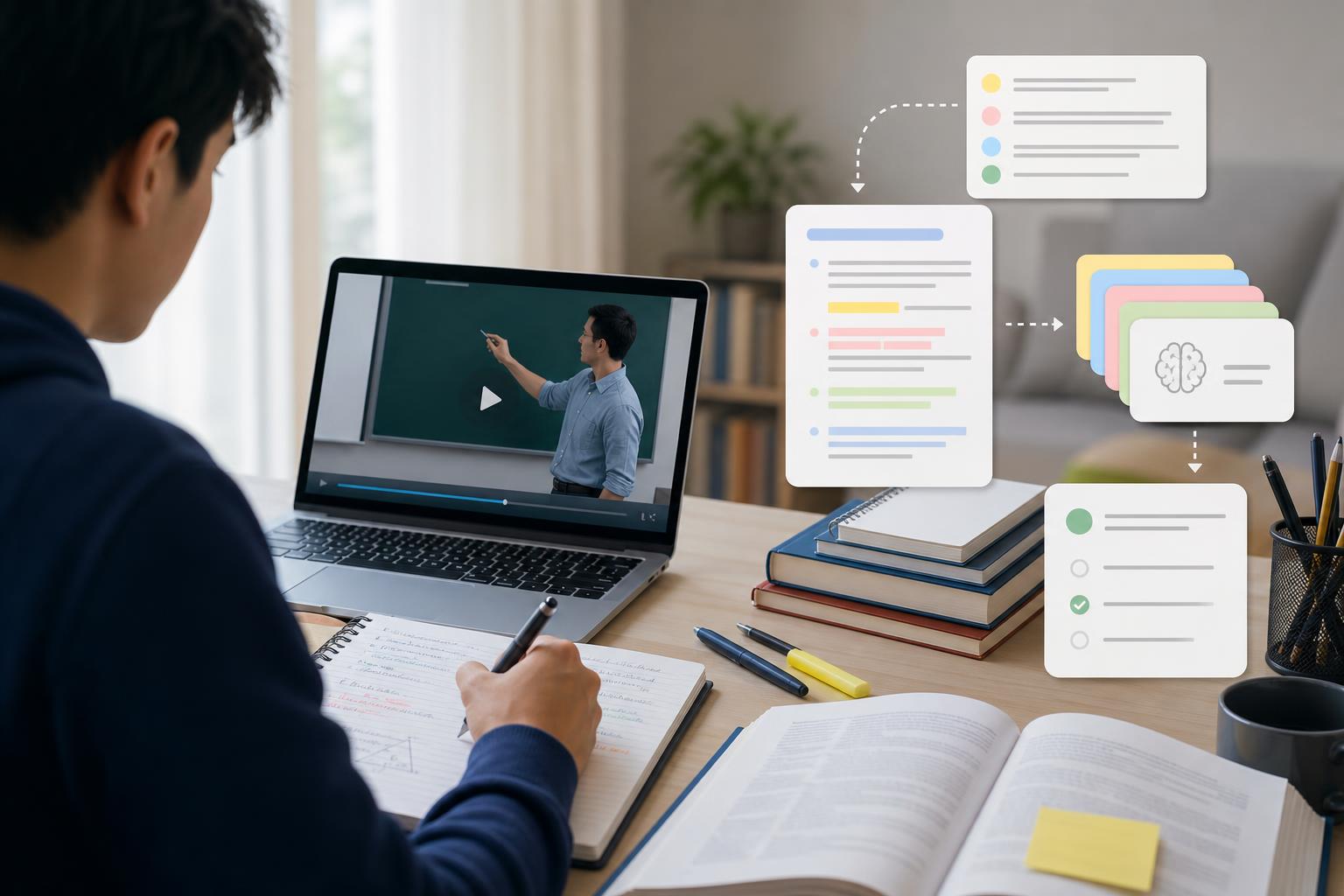
The fastest way to turn lecture recordings into study notes is to convert the audio into a transcript, identify the main ideas, organize them by topic, and rewrite them into clear notes you can review quickly. Instead of rewatching a full class from beginning to end, you can use a transcript, timestamps, and AI-generated summaries to jump straight to the important explanations, examples, definitions, and exam clues. AI Study Assistant helps with this process by letting you record or upload lectures, generate transcripts, and turn class recordings into summaries, notes, flashcards, and quizzes for faster studying.
Key takeaways
- You do not need to rewatch an entire lecture to make useful notes if you have a transcript and a focused review process.
- The best way to review recorded lectures is to extract the main topics, definitions, examples, formulas, and teacher emphasis points.
- AI lecture notes from recordings work best when you edit them with your syllabus, textbook, homework problems, and exam study guide in mind.
- A lecture transcript can become a study guide by reorganizing it into headings, bullet points, questions, and practice prompts.
- AI Study Assistant can record or upload lectures, create transcripts, and generate summaries, notes, flashcards, and quizzes from your own class material.
Why rewatching the whole lecture is usually inefficient
Rewatching a 50-minute or 90-minute lecture can feel productive, but it often turns into passive review. You may hear the same explanations again without actively identifying what you need to remember, practice, or ask about. A better method is to turn lecture recordings into study notes that are shorter, searchable, and organized around the material you will actually use for homework, quizzes, and exams. For high school and college students, recorded lectures are most useful when they become active study materials. That means converting the class recording into a transcript, pulling out the main ideas, and creating review tools such as summaries, flashcards, and practice questions. This approach helps you avoid wasting time on announcements, repeated explanations, technical pauses, and off-topic discussion while still keeping the important content.
Step 1: Record or upload the lecture and create a transcript
Start by making sure you have a usable recording. If your teacher or professor posts class recordings, download or access the file if allowed. If you are recording class yourself, follow your school’s rules and ask permission when required. Clear audio matters: sit near the speaker, reduce background noise, and avoid placing your device inside a backpack or under papers. Next, convert the class recording to text. A transcript lets you search for terms, skim instead of rewatch, and find the parts of the lecture that matter most. With AI Study Assistant, you can record or upload a lesson or lecture, generate a transcript, and use that transcript as the starting point for notes, summaries, flashcards, and quizzes. This is especially helpful when you need AI lecture notes from recordings but do not have time to replay the whole class.
Step 2: Skim the transcript for the lecture structure
Before writing notes, identify the lecture’s structure. Look for topic changes, repeated phrases, slide titles, definitions, examples, and transitions such as “the key point is,” “this will be on the test,” “for example,” or “in summary.” These moments usually signal information worth adding to your notes. Divide the transcript into sections that match the lesson flow. For example, a biology lecture might become: cell membrane structure, transport proteins, diffusion, osmosis, and active transport. A history lecture might become: causes, major events, key people, turning points, and consequences. This step changes a long transcript into a lecture transcript to study guide outline.
Step 3: Turn the transcript into clear study notes
Once the transcript is organized, rewrite it into concise notes. Do not copy every sentence. Instead, extract the main idea of each section, the important vocabulary, the teacher’s examples, formulas or processes, and any points connected to homework or exam review. A useful note format is: Topic: Name the concept. Definition: Explain it in simple language. Why it matters: Connect it to the lesson objective or exam topic. Example: Include the instructor’s example or your own. Common mistake: Add anything the teacher warned about. Practice question: Turn the idea into a question you can answer later. This method works because it changes a recording into active recall material. Instead of rereading a transcript, you are building notes that help you test yourself.
Step 4: Use AI summaries, but verify and personalize them
AI can help summarize recorded lectures quickly, but the best notes still need student judgment. After you generate a summary, compare it with your course materials. Check whether it matches the lecture slides, textbook chapter, assignment instructions, and exam review sheet. Add anything your teacher emphasized that may not appear clearly in the transcript. AI Study Assistant can help you summarize recorded lectures and convert class recordings to notes, but you should personalize the output. Add class-specific details such as your teacher’s preferred terms, formulas used in your course, problem-solving steps, or the exact examples discussed in class. This makes the notes more accurate and more useful when you study.
Step 5: Convert your notes into flashcards and practice quizzes
After you create notes, turn them into active study tools. Flashcards are useful for vocabulary, formulas, dates, people, processes, and cause-effect relationships. Quizzes are better for checking whether you can apply the ideas, compare concepts, or solve problems. For example, if your lecture notes say “osmosis is the movement of water across a selectively permeable membrane from low solute concentration to high solute concentration,” make a flashcard asking, “What is osmosis?” Then make a quiz question that asks you to predict what happens to a cell in a hypertonic solution. This final step is often the difference between having notes and actually being ready for a test.
A quick workflow for reviewing recorded lectures before an exam
If you are short on time, use this simple workflow: upload or record the lecture, generate a transcript, create a summary, review the summary against your syllabus or exam guide, turn the summary into notes, and then study with flashcards and a quiz. Focus first on lectures that match upcoming homework, quiz topics, or concepts you did not understand during class. The best way to review recorded lectures is not to watch everything again. It is to move from recording to transcript, from transcript to study guide, and from study guide to practice. This gives you a faster path from passive listening to active recall.
Flashcards
What is the main advantage of turning lecture recordings into study notes instead of rewatching the whole class?
It helps you review the most important ideas faster and study more actively.
What is the first step in converting a class recording into useful notes?
Create a transcript from the lecture recording.
Why is a transcript helpful for studying recorded lectures?
It lets you search, skim, organize, and extract important information without replaying the entire recording.
What kinds of details should you pull from a lecture transcript?
Main ideas, definitions, examples, formulas, processes, teacher emphasis points, and exam clues.
What does it mean to turn a lecture transcript into a study guide?
It means reorganizing the transcript into headings, summaries, key terms, examples, and practice questions.
Why should students edit AI-generated lecture notes?
Editing helps make the notes accurate, class-specific, and aligned with the teacher’s expectations.
What is active recall?
Active recall is studying by trying to retrieve an answer from memory instead of only rereading or rewatching material.
How can flashcards help after you summarize a recorded lecture?
They help you practice key terms, concepts, formulas, dates, and relationships from memory.
How can AI Study Assistant help with lecture recordings?
It can record or upload lectures, generate transcripts, and turn lessons into summaries, notes, flashcards, and quizzes.
What is a good sign that something from a lecture should be included in your notes?
The teacher repeats it, gives an example, connects it to homework, or says it may appear on a test.
Quiz
1. What is the best first step when you want to turn lecture recordings into study notes?
- A. Rewrite your textbook chapter
- B. Create a transcript of the recording
- C. Skip directly to making flashcards
- D. Rewatch the entire lecture twice
Show answer
Answer: Create a transcript of the recording
A transcript makes the lecture searchable and easier to skim, which helps you identify the most important parts without rewatching the full class.
2. Which detail is most important to include in study notes from a recorded lecture?
- A. Every casual comment from the class
- B. Only the first five minutes of the lecture
- C. Main ideas, definitions, examples, and teacher emphasis points
- D. The exact file name of the recording
Show answer
Answer: Main ideas, definitions, examples, and teacher emphasis points
Good study notes focus on the information most likely to help with understanding, homework, quizzes, and exams.
3. Why should you avoid copying an entire lecture transcript into your notes?
- A. It makes the notes too long and less useful for active review
- B. It improves memory automatically
- C. It removes all examples from the lecture
- D. It prevents you from finding key terms
Show answer
Answer: It makes the notes too long and less useful for active review
The goal is to condense and organize the lecture, not recreate the entire class word for word.
4. What is one effective way to turn lecture notes into active study material?
- A. Delete all headings
- B. Convert key points into flashcards and quiz questions
- C. Only listen to the recording while multitasking
- D. Save the notes without reviewing them
Show answer
Answer: Convert key points into flashcards and quiz questions
Flashcards and quizzes require active recall, which is usually more effective than passive rereading or rewatching.
5. What should you do after generating AI lecture notes from recordings?
- A. Assume the notes are perfect
- B. Compare and edit them using your syllabus, slides, homework, and teacher expectations
- C. Delete the transcript immediately
- D. Avoid adding your own examples
Show answer
Answer: Compare and edit them using your syllabus, slides, homework, and teacher expectations
AI-generated notes are most useful when you verify them and personalize them for your specific class.
6. Which workflow best summarizes the process of converting class recordings to notes?
- A. Recording to transcript to summary to notes to practice questions
- B. Homework to recording to textbook to unrelated video
- C. Flashcards to recording to transcript to syllabus
- D. Exam to lecture to announcement to file name
Show answer
Answer: Recording to transcript to summary to notes to practice questions
This workflow moves from passive class audio toward organized review and active practice.
FAQs
Can I turn lecture recordings into study notes without watching the entire video?
Yes. The most efficient method is to create a transcript, skim for key sections, summarize the main ideas, and rewrite them into organized notes. You may still replay short confusing sections, but you do not need to rewatch the whole class.
How accurate are AI lecture notes from recordings?
AI lecture notes can be very helpful, especially when the audio is clear, but they should be reviewed. Check names, formulas, dates, technical terms, and anything your teacher emphasized. The best results come from combining AI-generated notes with your own class context.
What is the best way to review recorded lectures before a quiz or exam?
Focus on the transcript and summary first, then create a study guide with key concepts, examples, and likely questions. After that, use flashcards and practice quizzes to test yourself instead of only rereading notes.
Can AI Study Assistant convert class recordings to notes?
Yes. AI Study Assistant lets you record or upload lectures, generates transcripts, and turns the material into summaries, notes, flashcards, and quizzes you can use for studying.
Next step
Turn this topic into a study session with notes, flashcards, and a practice quiz built from your own class material.
Related guides
- How to turn a recorded lecture into notes
- How to turn lecture recordings into notes
- How to study from a long lecture without rewatching
- Best way to study from long college lectures
- How to study from a long lecture video
- AI lecture note taker vs manual notes
- AI lecture notes vs manual note taking
- How to make flashcards from lecture recordings

Leave a Reply