
Listen to this article
Best Way to Study From a Long College Lecture Without Rewatching the Whole Video
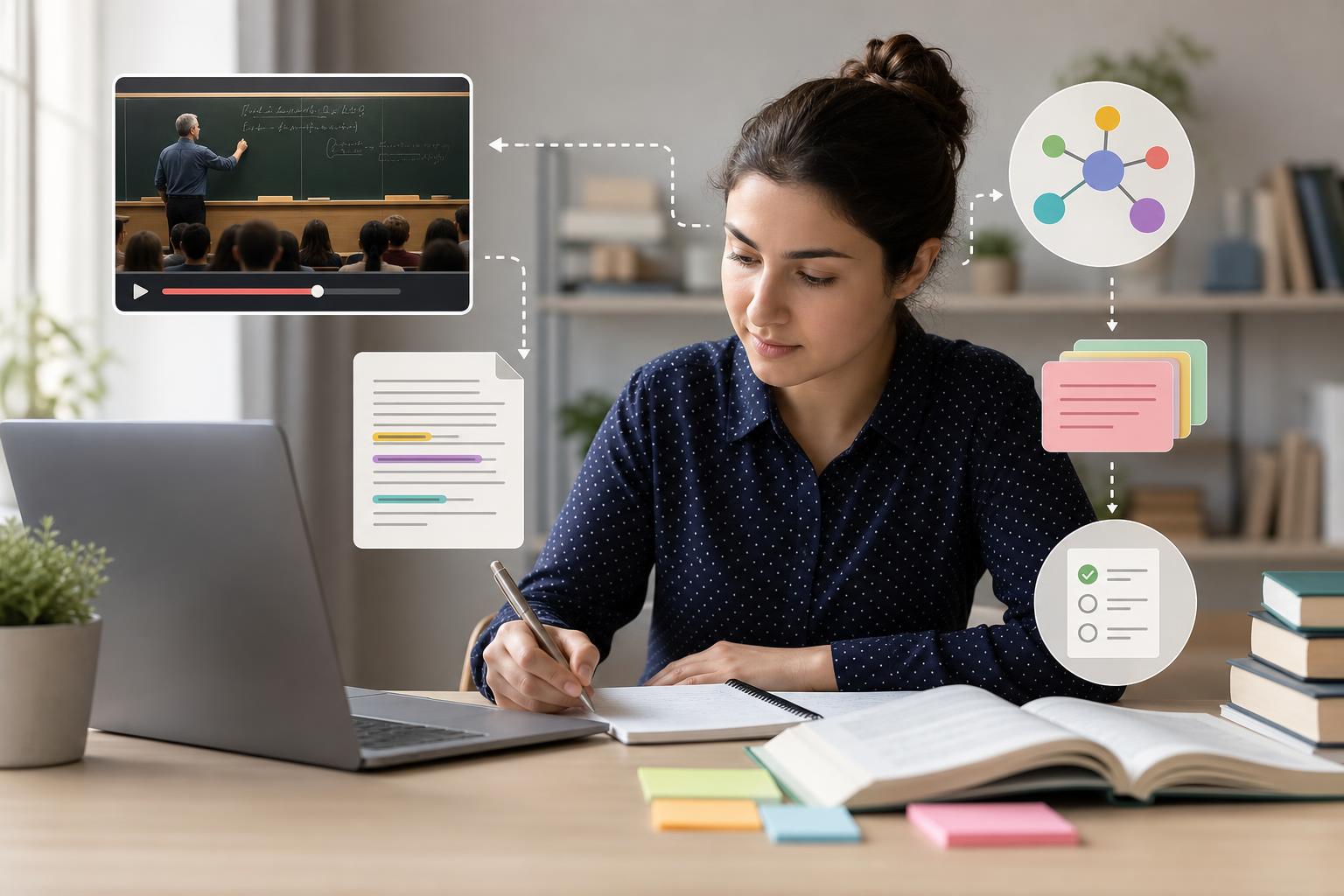
The best way to study from a long lecture video is to avoid treating it like a movie you must rewatch from beginning to end. Instead, turn the recording into a searchable transcript, identify the most important concepts, create focused notes, and test yourself with flashcards and practice questions. This approach helps college students review recorded lectures efficiently, especially when videos are 60 to 120 minutes long and exam prep time is limited.
Key takeaways
- Do not rewatch the entire lecture unless you missed the class completely or the material is highly visual and confusing.
- Use a transcript to search for definitions, formulas, examples, professor emphasis, and exam clues.
- Create a short lecture summary first, then expand only the sections you do not understand.
- Convert key ideas into active recall tools such as flashcards, short-answer prompts, and practice quizzes.
- AI Study Assistant can help you summarize lecture video for studying by turning recordings into transcripts, notes, flashcards, and quizzes.
- The fastest review method is transcript scan, targeted replay, note cleanup, and self-testing.
Why Rewatching the Whole Lecture Is Usually Inefficient
Long college lecture videos often contain introductions, administrative reminders, repeated explanations, pauses, and examples you may already understand. Rewatching the full recording can feel productive, but it is usually passive. You may spend 90 minutes watching and only retain a small portion because you are not retrieving the information yourself. A better strategy is to study faster from recorded lectures by separating the video into three parts: what you already know, what you need to clarify, and what you must memorize or practice. This helps you spend your time on the highest-value material instead of replaying everything at the same speed.
Step 1: Turn the Lecture Video Into a Searchable Transcript
Start by generating a transcript from the lecture recording. A transcript lets you search for terms, dates, formulas, case names, theories, and phrases your professor repeated. This is one of the easiest ways to review recorded lectures efficiently because you can jump directly to the moments that matter. For example, search for phrases like "this will be on the exam," "the key point," "in summary," "remember," "definition," or the name of a concept from your syllabus. AI Study Assistant can help create AI notes from lecture videos by turning your uploaded lesson into a transcript and study materials, so you do not have to manually scrub through the recording.
Step 2: Build a Short Summary Before Taking Detailed Notes
Before writing detailed notes, create a short summary of the lecture in 5 to 10 bullet points. This gives you a map of the lesson. A useful summary should include the main topic, major subtopics, professor examples, important vocabulary, formulas or frameworks, and any connection to previous lectures. If you are using lecture video notes for college students, avoid copying the transcript word for word. Instead, rewrite the ideas in your own words. For example, a psychology lecture summary might list the major memory models, key experiments, and differences between encoding, storage, and retrieval. Once you have the big picture, you can decide which sections deserve deeper review.
Step 3: Use Targeted Replay Only for Confusing or High-Value Moments
Targeted replay means watching only the clips that solve a specific problem. After reading the transcript and summary, mark timestamps where the professor explains a difficult concept, solves a sample problem, draws a diagram, or gives an exam hint. Rewatch those sections at normal or slower speed, then pause and restate the explanation without looking. This is much more efficient than watching the entire lecture again. For quantitative courses like calculus, chemistry, accounting, or physics, targeted replay is especially useful for worked examples. For reading-heavy courses like history, sociology, or literature, the transcript and summary may be enough for most review.
Step 4: Convert the Lecture Into Active Recall Questions
Once you understand the structure of the lecture, turn the content into questions. Active recall is more effective than rereading because it forces your brain to retrieve information. Create flashcards for definitions, formulas, causes and effects, theories, people, dates, and steps in a process. Then create quiz questions that mix recognition and application. For example, instead of only asking "What is operant conditioning?" also ask, "Which classroom example best illustrates negative reinforcement?" AI Study Assistant can generate flashcards and quizzes from your uploaded lecture, helping you move from passive review to exam-style practice.
A 30-Minute Workflow for Studying a Long Lecture Video
Use this workflow when you have a long recording and limited time. First, spend 5 minutes generating or opening the transcript and scanning headings, repeated terms, and professor emphasis. Second, spend 7 minutes reading the summary or creating a 5 to 10 point outline. Third, spend 8 minutes replaying only confusing timestamps or worked examples. Fourth, spend 7 minutes answering flashcards or quiz questions without looking at your notes. Finally, spend 3 minutes writing a short list of what still feels unclear. This method helps you summarize lecture video for studying, study faster from recorded lectures, and leave with a concrete review plan instead of a vague sense that you "watched the lecture."
Flashcards
What is the biggest problem with rewatching an entire long lecture video?
It is usually passive and time-consuming, so students may spend a lot of time without actively retrieving or applying the material.
What is the first step in studying efficiently from a long recorded lecture?
Turn the lecture video into a searchable transcript so you can find key terms, explanations, and exam clues quickly.
Why is a transcript useful for lecture review?
A transcript lets you search the lecture, scan important ideas, and jump to relevant timestamps instead of rewatching the whole video.
What should a short lecture summary include?
It should include the main topic, major subtopics, key terms, examples, formulas or frameworks, and professor emphasis.
What is targeted replay?
Targeted replay is rewatching only the specific parts of a lecture that are confusing, important, or connected to exam questions.
Why should students turn lecture notes into questions?
Questions create active recall, which improves memory more than rereading or passively watching the lecture.
What types of content make good flashcards from a lecture?
Definitions, formulas, theories, causes and effects, dates, people, processes, and professor-highlighted concepts make good flashcards.
How can AI notes from lecture videos help college students?
They can quickly turn recordings into transcripts, summaries, organized notes, flashcards, and quizzes for faster review.
When is it worth replaying a lecture clip?
It is worth replaying a clip when it explains a confusing concept, shows a worked example, presents a diagram, or includes an exam hint.
What is the main goal of efficient lecture review?
The main goal is to identify, understand, and practice the most important material without spending unnecessary time rewatching the full recording.
Quiz
1. What is the best first move when learning how to study from a long lecture video?
- A. Watch the entire video at normal speed
- B. Generate or open a searchable transcript
- C. Skip the lecture and only read the textbook
- D. Copy every sentence into a notebook
Show answer
Answer: Generate or open a searchable transcript
A searchable transcript helps you find key concepts, professor emphasis, and confusing sections without replaying the entire lecture.
2. Which approach is the most active study method after reviewing lecture notes?
- A. Rereading the transcript silently
- B. Leaving the video on in the background
- C. Answering flashcards and quiz questions
- D. Highlighting every paragraph in the transcript
Show answer
Answer: Answering flashcards and quiz questions
Flashcards and quizzes require active recall, which strengthens memory better than passive rereading or background listening.
3. What is targeted replay?
- A. Rewatching the whole lecture twice
- B. Watching only the timestamps that need clarification
- C. Playing the video while doing another task
- D. Skipping all examples from the professor
Show answer
Answer: Watching only the timestamps that need clarification
Targeted replay saves time by focusing on confusing or high-value moments, such as worked examples or exam hints.
4. Which item is most useful to search for in a lecture transcript when preparing for an exam?
- A. Random filler words
- B. Phrases like "this is important" or "remember"
- C. The longest pause in the recording
- D. Only the first sentence of the lecture
Show answer
Answer: Phrases like "this is important" or "remember"
Professor emphasis often signals material that may be important for exams, papers, or class discussions.
5. What should you do after creating a short summary of the lecture?
- A. Delete the transcript immediately
- B. Expand only the sections you do not understand
- C. Assume you are fully prepared for the exam
- D. Rewatch the entire video from the beginning
Show answer
Answer: Expand only the sections you do not understand
A summary gives you the big picture, and then you can focus deeper note-taking on weak areas instead of reviewing everything equally.
6. Which workflow best supports efficient lecture review?
- A. Transcript scan, summary, targeted replay, self-testing
- B. Full rewatch, full rewatch again, then highlighting
- C. Skip notes and only memorize the title
- D. Watch at 2x speed without pausing or testing
Show answer
Answer: Transcript scan, summary, targeted replay, self-testing
This sequence combines time-saving review with active learning, making it more effective than passive video watching.
FAQs
Can I study from a long lecture video without watching it all?
Yes. If you have a transcript, summary, and timestamps, you can scan for key ideas, replay only confusing parts, and test yourself with flashcards or quizzes. You may still need to watch certain clips, especially for diagrams, problem-solving, or demonstrations, but you usually do not need to rewatch the entire lecture.
How do I summarize lecture video for studying?
Start with the transcript, identify the main topic and subtopics, then condense the lecture into 5 to 10 bullet points. Include definitions, examples, formulas, frameworks, and professor emphasis. AI Study Assistant can help by generating a lecture summary and study materials from your uploaded recording.
Are AI notes from lecture videos accurate enough for college studying?
AI notes are a strong starting point, especially for organizing long recordings quickly, but you should still check important details against the lecture, slides, textbook, or professor guidance. The best approach is to use AI-generated notes to save time, then verify and personalize them before an exam.
What is the fastest way to review recorded lectures efficiently?
Use a transcript to search important terms, read or create a short summary, replay only the timestamps you do not understand, and then answer practice questions. This method turns a long recording into a focused study session.
Next step
Turn this topic into a study session with notes, flashcards, and a practice quiz built from your own class material.

Leave a Reply