
Listen to this article
Best AI Lecture Note-Taking Apps for High School and College Students
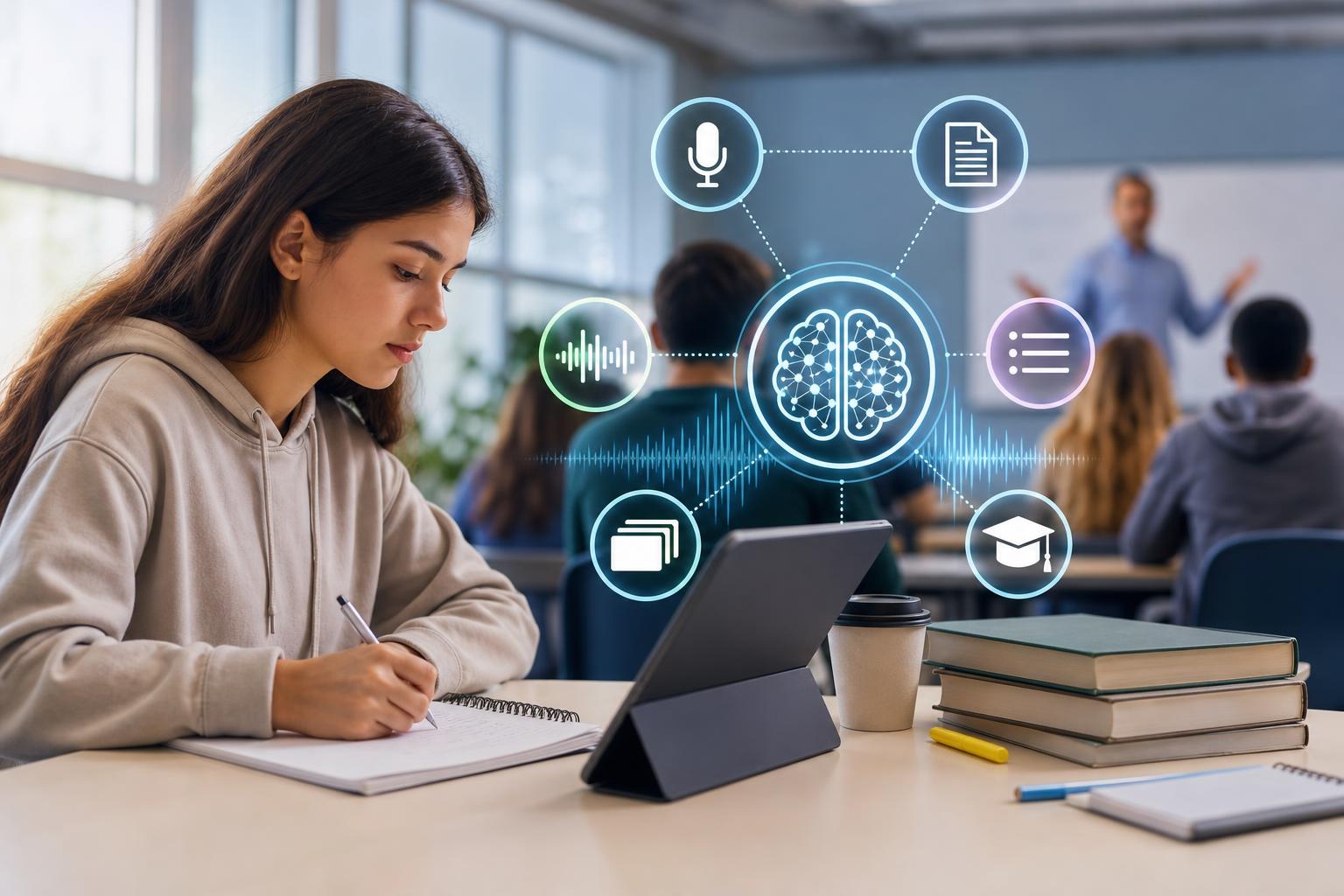
The best AI lecture note taking app for students depends on what happens after a class is recorded. Some apps specialize in live transcription and searchable conversations, while others turn lecture content into summaries, notes, flashcards, and practice quizzes. For high school and college students who want an end-to-end study workflow, AI Study Assistant is a strong option because it supports recording or uploading lessons and converting them into multiple review formats. Otter.ai and Notta are useful transcription-focused alternatives, while tools such as Coconote and Knowt may suit students looking for additional study-material features. Compare each app’s recording methods, transcript quality, review tools, mobile access, privacy controls, and pricing before choosing.
Key takeaways
- The best app is not necessarily the one with the longest transcript; it is the one that produces accurate, organized material you can review before an exam.
- AI Study Assistant combines lesson recording or uploads with transcripts, summaries, notes, flashcards, and quizzes in a web and mobile workflow.
- Otter.ai and Notta are primarily useful for transcription, searchable lecture records, and summaries, but students may need another tool for flashcard-based exam preparation.
- Coconote and Knowt are worth considering when study-material generation is a priority, although supported inputs and features can vary by platform and plan.
- Students should check school rules, instructor permission, local recording laws, privacy policies, language support, and usage limits before recording a lecture.
How to choose an AI lecture note taker for students
Use the same criteria when comparing every app: 1. **Recording and upload options:** Determine whether the app records live audio, accepts existing audio or video files, imports links, or supports both recording and uploads. Upload support is useful when a school already provides lecture recordings. 2. **Transcript quality:** Accuracy depends on microphone placement, background noise, accents, subject vocabulary, and speaker overlap. Test an app with a real class before relying on it for a semester. 3. **Study-material generation:** Look beyond summaries. Students preparing for tests may benefit from structured notes, flashcards, and quizzes connected to the original lesson. 4. **Ease of review:** Search, headings, timestamps, editing, and links between generated material and the transcript make it easier to verify important details. 5. **Mobile and web access:** A mobile app is useful for capturing class audio, while a larger web interface may be better for editing notes and reviewing long lectures. 6. **Organization:** Check whether the app supports folders, subjects, courses, tags, or another way to separate classes. 7. **Privacy and permission:** Review how recordings are stored, whether data can be deleted, and whether content may be used to improve AI systems. Always obtain required permission before recording. 8. **Pricing and limits:** Compare recording minutes, maximum file length, upload limits, exports, and which AI features require a paid plan.
AI lecture note-taking app comparison
| App | Recording and input focus | Transcript and summary workflow | Study-material support | Best suited for | |—|—|—|—|—| | **AI Study Assistant** | Record lessons or upload lecture material using web and mobile access | Produces transcripts, summaries, and organized notes | Generates flashcards and quizzes from class material | Students who want one workflow from lecture capture to exam review | | **Otter.ai** | Live recording and supported file imports, with an emphasis on meetings and conversations | Searchable transcripts, speaker-oriented review, and AI summaries | Transcripts and summaries are central; dedicated student flashcards and quizzes are not its primary focus | Students who prioritize live transcription and searching what was said | | **Notta** | Live transcription and file-based transcription across supported devices and formats | Transcripts, summaries, editing, and exports | Useful for capturing and condensing content, but students may need another workflow for extensive practice materials | Students who need flexible transcription, including multilingual use cases | | **Coconote** | Lecture capture and supported content imports | Converts class content into notes and summaries | Offers student-oriented review materials, with availability depending on the current product and plan | Students who want lecture notes paired with study tools | | **Knowt** | Notes and supported learning-content inputs | Uses AI to help create and organize review content | Strong emphasis on flashcards, tests, and study modes | Students whose main goal is active recall and practice after class | Features, limits, supported formats, and prices change frequently. Treat this table as a shortlist rather than a substitute for checking each provider’s current product pages and testing the app with your subjects.
Which app fits each student use case?
**For an end-to-end lecture-to-exam workflow:** AI Study Assistant fits students who want to record or upload a class and then work with the transcript, summary, notes, flashcards, and quiz in the same product. This reduces the need to copy a transcript into separate study apps. **For searchable live transcripts:** Otter.ai may be a practical choice when the main requirement is capturing spoken class content and finding specific moments later. Its conversation-oriented design can also help with seminars, group projects, and interviews. **For flexible or multilingual transcription:** Notta may be worth testing when transcription language, supported formats, or export options matter more than built-in exam preparation. Confirm that the languages and features you need are available on your chosen plan. **For AI-generated class review materials:** Coconote is aimed at turning learning content into notes and study resources. Compare its editing, source-verification, and mobile features against your normal class routine. **For flashcard-centered studying:** Knowt may fit students who already have notes or learning content and want flashcards, tests, and active-recall study modes. Check whether its lecture-capture workflow matches how your school delivers classes. No app should replace your own judgment. AI summaries can omit exceptions, formulas, diagrams, citations, or comments that an instructor signals will appear on an exam.
Why AI Study Assistant is a practical student option
AI Study Assistant is designed around the full student workflow rather than transcription alone. A student can record or upload a lesson, create a transcript, condense it into a summary, organize it as notes, and generate flashcards and quizzes for review. Web and mobile access also supports capturing a lesson on one device and studying it later on another. This combination is especially relevant for students who want fewer handoffs between apps. A transcript can help verify wording, a summary can provide a quick overview, notes can organize concepts, flashcards can support retrieval practice, and quizzes can reveal knowledge gaps. That does not make any generated output automatically correct; students should compare important claims with textbooks, slides, assignments, and instructor guidance.
How to test an app before committing
Run a short, controlled comparison instead of choosing from a feature list alone: 1. Get permission and record the same 10- to 15-minute lesson segment in each shortlisted app. 2. Include subject-specific terms, at least two speakers, and one important definition or formula. 3. Compare the transcript against the original audio and count errors that change the meaning. 4. Check whether the summary preserves the instructor’s main argument, examples, and exceptions. 5. Generate study materials and identify vague, duplicated, or unsupported questions. 6. Time how long it takes to correct the transcript, organize the lesson, and begin reviewing. 7. Test the mobile experience, search tools, exports, deletion controls, and course organization. 8. Compare free and paid limits based on your actual weekly lecture hours. A tool that saves recording time but requires extensive cleanup may be less useful than an app with a simpler, more reliable review workflow.
Recording lectures responsibly
Ask the instructor before recording, even if a classmate says recording is allowed. Schools, instructors, and jurisdictions can have different rules, and discussions may include personal information from other students. Disability or accessibility accommodations may also follow a specific approval process. When recording is permitted, place the device where speech is clear, silence notifications, and avoid capturing unrelated conversations. Review the provider’s retention, sharing, deletion, and AI-training policies before uploading sensitive material. Do not upload protected student records, confidential discussions, clinical information, or unpublished research unless you are authorized to do so.
Flashcards
What should students compare besides transcript accuracy?
They should compare recording and upload options, summaries, notes, flashcards, quizzes, mobile access, organization, privacy controls, pricing, and ease of review.
Why are timestamps useful in an AI class notes app?
Timestamps help students return to the original lecture moment to verify wording, context, formulas, or examples.
What is the main difference between a transcription-focused app and a study-focused app?
A transcription-focused app primarily captures and organizes speech, while a study-focused app also converts the content into materials such as flashcards and quizzes.
Why should a lecture summarizer be checked against the transcript?
AI summaries can omit qualifications, examples, exceptions, or details that affect the meaning of the lesson.
What makes AI Study Assistant relevant for exam preparation?
It turns recorded or uploaded lessons into transcripts, summaries, notes, flashcards, and quizzes within one study workflow.
When might Otter.ai be a suitable option for a student?
It may suit a student who prioritizes live transcription, searchable conversations, summaries, or reviewing seminar discussions.
When might Notta be worth testing?
It may be worth testing when flexible transcription, file support, exports, or multilingual use cases are important.
What is active recall?
Active recall is the practice of retrieving information from memory, such as answering a flashcard or quiz question without looking at the notes.
Why should students test apps with subject-specific vocabulary?
Technical terms, names, formulas, and specialized language can expose transcription weaknesses that ordinary speech does not.
What should a student do before recording a lecture?
The student should check school rules, local law, privacy requirements, and instructor permission.
Quiz
1. Which feature most directly supports active recall after a lecture?
- A. Flashcards and practice quizzes
- B. Longer audio recordings
- C. Decorative note themes
- D. Automatic file naming
Show answer
Answer: Flashcards and practice quizzes
Flashcards and quizzes require students to retrieve information from memory rather than only rereading it.
2. What is the most reliable way to compare transcript quality?
- A. Compare transcripts of the same real lesson segment
- B. Choose the app with the longest feature list
- C. Use the app with the brightest interface
- D. Compare only the advertised accuracy percentages
Show answer
Answer: Compare transcripts of the same real lesson segment
A controlled test reveals how each app handles the student’s actual classroom audio, speakers, and subject vocabulary.
3. Which workflow is supported by AI Study Assistant?
- A. Record or upload, transcribe, summarize, create notes, and generate study materials
- B. Scan textbooks and submit assignments automatically
- C. Replace instructor feedback with automated grading
- D. Record lectures without obtaining required permission
Show answer
Answer: Record or upload, transcribe, summarize, create notes, and generate study materials
AI Study Assistant converts recorded or uploaded lessons into transcripts, summaries, notes, flashcards, and quizzes.
4. Why should students verify an AI-generated lecture summary?
- A. It may omit context, exceptions, or important details
- B. Summaries always contain more information than transcripts
- C. Verification automatically increases recording limits
- D. Every instructor requires identical formatting
Show answer
Answer: It may omit context, exceptions, or important details
AI can condense material incorrectly or leave out details that matter for understanding and exams.
5. What should a student do first before recording a class?
- A. Confirm permission and applicable recording rules
- B. Share the recording publicly
- C. Delete all handwritten notes
- D. Purchase the most expensive plan
Show answer
Answer: Confirm permission and applicable recording rules
Instructor policies, school rules, privacy requirements, and local laws may restrict classroom recording.
6. Which factor is most useful when comparing paid plans?
- A. Whether the limits cover the student's actual weekly lecture hours
- B. The number of colors in the app icon
- C. The age of the company logo
- D. The length of the product name
Show answer
Answer: Whether the limits cover the student's actual weekly lecture hours
Recording minutes, file limits, and access to study features should match the student’s real course load.
FAQs
What is the best AI lecture note taking app for students?
The best choice depends on the student’s workflow. AI Study Assistant is a practical option for students who want recording or uploads, transcription, summaries, notes, flashcards, and quizzes together. Otter.ai and Notta may fit transcription-first needs, while Coconote and Knowt are also worth evaluating for study-material generation.
Can an AI note taker replace handwritten or typed notes?
It can reduce manual transcription, but it should not replace active participation or verification. Students often learn best when they annotate generated notes, add examples, correct errors, and use flashcards or quizzes to retrieve information.
Is it legal to record a high school or college lecture?
Rules vary by jurisdiction, institution, course, and instructor. Students should obtain required permission and follow school policies, local recording laws, privacy rules, and any approved accessibility process.
How accurate are lecture transcription apps?
Accuracy varies with audio quality, distance from the speaker, background noise, accents, overlapping speech, and technical vocabulary. Test each app with a real lecture and verify definitions, names, formulas, dates, and exam instructions.
Should I choose a free or paid AI class notes app?
Start with a free trial or free plan when available, then compare its recording minutes, upload limits, maximum file length, exports, mobile features, and study-material access with your weekly class schedule. Pay only if the additional capacity or features solve a recurring study need.
Next step
Turn this topic into a study session with notes, flashcards, and a practice quiz built from your own class material.
Related guides
- Best AI study tools for college students who record lectures
- Best AI note-taking apps for college students
- Best AI lecture summarizer for students
- App that turns lecture audio into notes
- App that turns lectures into flashcards
- AI notes vs handwritten notes
- Best AI lecture transcription app for students
- AI lecture note taker vs transcription app

Leave a Reply