
Listen to this article
How to Record and Transcribe Lectures for Better Study Notes
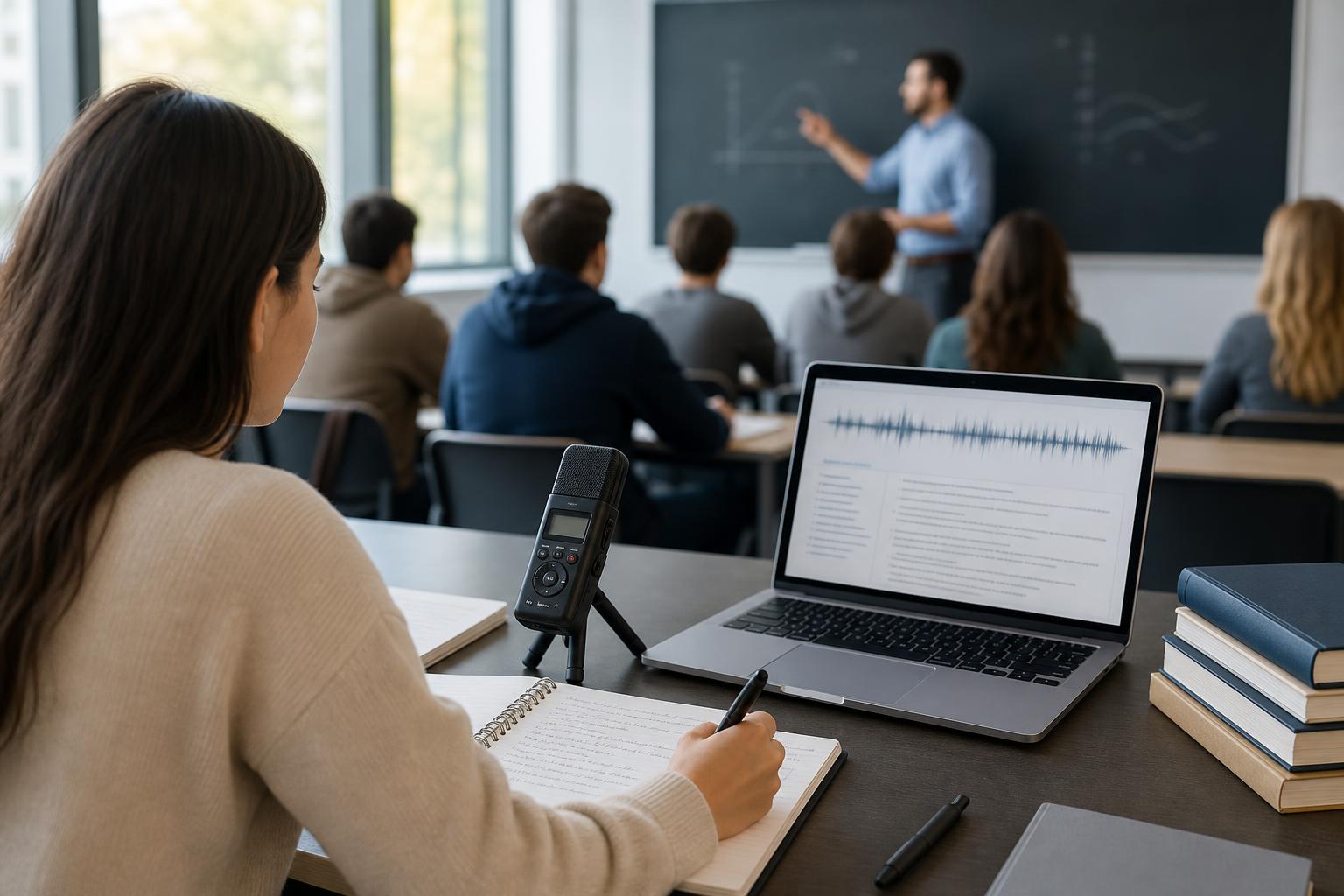
The best way to record and transcribe lectures is to get your instructor’s permission, place a charged recording device near the speaker, minimize background noise, and test the audio before class begins. After the lecture, upload the approved recording to a lecture transcription app for students, review the transcript for errors, and organize the corrected content into notes, flashcards, and quizzes. This workflow creates a searchable record of the lesson without requiring you to type every word during class, allowing you to listen actively and focus your written notes on key ideas, examples, and questions.
Key takeaways
- Always ask the instructor for permission and follow school rules before recording or sharing a lecture.
- Improve transcription accuracy by placing the microphone near the instructor, reducing background noise, and testing your setup before class.
- Review AI-generated transcripts against the audio, especially for names, formulas, technical vocabulary, dates, and assignment instructions.
- Use timestamps, headings, and highlighted terms to make long lecture transcripts easier to search and study.
- AI Study Assistant can turn approved lecture recordings into transcripts, summaries, notes, flashcards, and practice quizzes.
1. Get permission and prepare before the lecture
Before learning how to record a class lecture, confirm that recording is allowed. Ask the instructor directly and check your school’s policies. Some classes prohibit recording because of privacy, copyrighted material, sensitive discussions, or student participation. If you have an approved academic accommodation, follow the process established by your school’s accessibility office. Clarify whether the recording is for personal study only and whether it may be uploaded to a transcription service. Do not post, distribute, or share a lecture recording without permission. If classmates will be recorded, the instructor may need to notify them or pause recording during private discussions. Prepare your device before class. Charge it fully, confirm that enough storage is available, disable notifications, and bring a charging cable or battery pack. Use a descriptive file name such as “Biology-Chapter-6-Cell-Respiration-2025-03-12” so the audio remains easy to identify later.
2. Record clear, transcription-friendly audio
A clear recording is the foundation of an accurate transcript. A smartphone, tablet, laptop, or dedicated recorder can work, but microphone placement usually matters more than having expensive equipment. Sit near the instructor and position the device on a stable surface with the microphone uncovered. Avoid placing it beside a keyboard, fan, backpack, or noisy ventilation system. Run a short test before class and listen through headphones. Confirm that speech is clear and not distorted. If permitted, an external microphone placed closer to the instructor can improve results in a large lecture hall. Choose a common audio format supported by your transcription tool, such as MP3, M4A, or WAV. During the lecture, write brief timestamps when the instructor introduces an important definition, explains a difficult concept, gives an exam hint, or assigns work. If you speak into your own device, state a quick marker such as “review this example” so you can find the moment later. Do not let the recorder replace active listening; use it as a backup and review tool.
3. Convert lecture audio to text and review the transcript
After class, save a backup of the approved recording and upload it to a trusted transcription tool. A lecture transcription app for students should accept your audio format, create searchable text, and make it easy to return to the corresponding audio. AI Study Assistant can process an uploaded lesson or lecture and generate a transcript that becomes the source for additional study materials. Automated transcription is useful, but it is not automatically error-free. Review the transcript while listening to the recording at a comfortable speed. Correct course-specific terminology, names, dates, acronyms, equations, citations, and assignment details first. These errors can change the meaning of a passage or lead to incorrect studying. Add punctuation, paragraph breaks, speaker labels, headings, and timestamps where they improve clarity. Mark uncertain passages instead of guessing. If a section is inaudible, compare it with slides, the textbook, or a classmate’s notes while respecting course collaboration rules. Delete recordings according to your instructor’s requirements and protect files that contain personal or sensitive information.
4. Turn the transcript into useful AI lecture notes
A transcript is a reference document, not a finished set of study notes. Reading every line repeatedly is inefficient because lectures include repetition, transitions, questions, and side comments. Start by dividing the transcript according to the lecture outline or major concepts. Under each heading, identify the main claim, supporting evidence, definitions, examples, processes, and connections to previous lessons. Condense each section into your own words. Keep exact wording only when precision matters, such as a formal definition or quotation. Create a short summary, a list of key terms, and a set of questions that require retrieval rather than simple recognition. For problem-based courses, preserve worked examples and explain why each step was taken. AI Study Assistant can transform an approved recording into a transcript, summary, organized notes, flashcards, and a practice quiz. Treat generated materials as a first draft: compare them with the transcript, course slides, and assigned readings before using them to prepare for an assessment.
5. Use a repeatable post-lecture study workflow
Process the recording soon after class while the lesson is still fresh. First, verify that the file saved correctly. Second, generate and review the transcript. Third, summarize the lecture without looking at the transcript, then check what you missed. Fourth, review generated flashcards and revise any vague or inaccurate answers. Finally, take a practice quiz and return to the timestamped audio for concepts you cannot explain. A practical review schedule is to revisit the material later the same day, again within two or three days, and once more before the next related lesson. Use the transcript for searching and clarification, but use flashcards, self-explanation, and practice questions for active recall. This combination makes lecture capture more valuable than passively replaying the entire class.
6. Common recording and transcription mistakes to avoid
Common problems include recording without permission, placing the device too far from the instructor, failing to test the microphone, and leaving notifications enabled. Other mistakes include relying on raw transcription as if it were a verified source, keeping files with unclear names, and sharing recordings that were approved only for personal use. Avoid trying to create a perfect transcript when your real goal is exam preparation. Prioritize corrections that affect meaning and then convert the content into concise study materials. The best way to transcribe lectures is a focused workflow: capture clear audio, verify important text, organize concepts, and practice retrieving the information.
Flashcards
What should a student do before recording a class lecture?
Ask the instructor for permission and check the school’s recording, privacy, and accessibility policies.
Why is microphone placement important for lecture transcription?
A microphone closer to the instructor captures clearer speech and reduces errors caused by distance and background noise.
What should be included in a useful lecture recording file name?
Include the course, topic, and date so the file is easy to identify and organize.
Which transcript details should be checked most carefully?
Check names, technical terms, dates, formulas, acronyms, citations, and assignment instructions because errors can change meaning.
Why should students add timestamps to lecture notes?
Timestamps make it faster to return to important explanations, examples, questions, and unclear passages in the audio.
Is an AI-generated transcript the same as finished study notes?
No. A transcript is a detailed reference that should be reviewed, corrected, organized, and condensed into study materials.
How can a transcript support active recall?
Students can use it to create flashcards, self-explanation prompts, short-answer questions, and practice quizzes.
What can AI Study Assistant create from an approved lecture recording?
It can generate a transcript, summary, organized notes, flashcards, and practice quizzes.
When should a student process a lecture recording?
Ideally, the student should process it soon after class while the lesson and context are still fresh.
What should a student do when part of a transcript is inaudible?
Mark the passage as uncertain and compare it with approved sources such as slides, readings, or permitted class notes instead of guessing.
Quiz
1. What is the first step before recording a lecture?
- A. Buy an external microphone
- B. Ask the instructor for permission
- C. Upload the course slides
- D. Choose a transcription speed
Show answer
Answer: Ask the instructor for permission
Permission and school policies determine whether the lecture may be recorded, processed, or shared.
2. Which setup is most likely to improve transcription accuracy?
- A. Placing the device near the instructor
- B. Keeping the device inside a backpack
- C. Sitting beside a loud ventilation fan
- D. Typing continuously beside the microphone
Show answer
Answer: Placing the device near the instructor
Reducing the distance between the speaker and microphone usually produces clearer speech and less background noise.
3. Which item deserves priority when reviewing a generated transcript?
- A. The font color
- B. Technical vocabulary and formulas
- C. The audio file icon
- D. The device wallpaper
Show answer
Answer: Technical vocabulary and formulas
Specialized terms and formulas are frequently transcribed incorrectly and may significantly change the lesson’s meaning.
4. What is the most effective use of a completed lecture transcript?
- A. Memorize every sentence in order
- B. Share it publicly without approval
- C. Turn key concepts into active-recall materials
- D. Delete the original immediately without checking it
Show answer
Answer: Turn key concepts into active-recall materials
Flashcards, self-explanation prompts, and practice questions require retrieval and are generally more useful than repeatedly reading a full transcript.
5. What should you do if a transcript passage is unclear?
- A. Invent wording that fits the topic
- B. Mark it as uncertain and verify it
- C. Remove the entire lecture
- D. Assume the AI output is correct
Show answer
Answer: Mark it as uncertain and verify it
Uncertain text should be checked against the audio, slides, readings, or other permitted sources rather than guessed.
6. Why are timestamps useful in lecture notes?
- A. They increase the recording volume
- B. They identify the device model
- C. They help locate important audio quickly
- D. They automatically obtain instructor permission
Show answer
Answer: They help locate important audio quickly
Timestamps connect notes to specific moments, making it easier to review explanations and correct unclear text.
FAQs
What is the best way to record and transcribe lectures?
Get permission, test a charged device, place the microphone near the instructor, and minimize background noise. Upload the approved recording to a transcription tool, review important terms against the audio, and turn the corrected transcript into concise notes and active-recall questions.
Can I record a professor or teacher without asking?
Rules vary by school, location, course, and accommodation status, so you should not assume recording is allowed. Ask the instructor and follow institutional privacy and accessibility policies. Permission to record for personal study does not necessarily include permission to upload, publish, or share the file.
How accurate are AI lecture transcripts?
Accuracy depends on audio quality, speaker clarity, accents, overlapping speech, background noise, and subject-specific vocabulary. AI transcripts can provide a useful draft, but students should verify names, formulas, dates, technical terms, and assessment instructions.
How can I convert lecture audio to text and study materials?
Upload an approved audio file to a compatible lecture transcription app for students. With AI Study Assistant, the resulting lesson can be transformed into a transcript, summary, notes, flashcards, and a practice quiz for review.
Should I replay the entire lecture after class?
Usually, a targeted review is more efficient. Search the transcript and use timestamps to replay difficult explanations, then practice with flashcards and questions. Replay the full lecture only when broad review is genuinely necessary.
Next step
Turn this topic into a study session with notes, flashcards, and a practice quiz built from your own class material.
Related guides
- How to turn a lecture recording into notes
- Best way to record college lectures for notes
- How to make flashcards from a lecture recording
- How to make flashcards from lecture notes with AI
- Best AI lecture note taking app for students
- Create practice quizzes from lecture notes
- Best AI lecture transcription app for students
- How to make flashcards from a lecture

Leave a Reply