
Listen to this article
How to Make Flashcards From a Lecture Recording
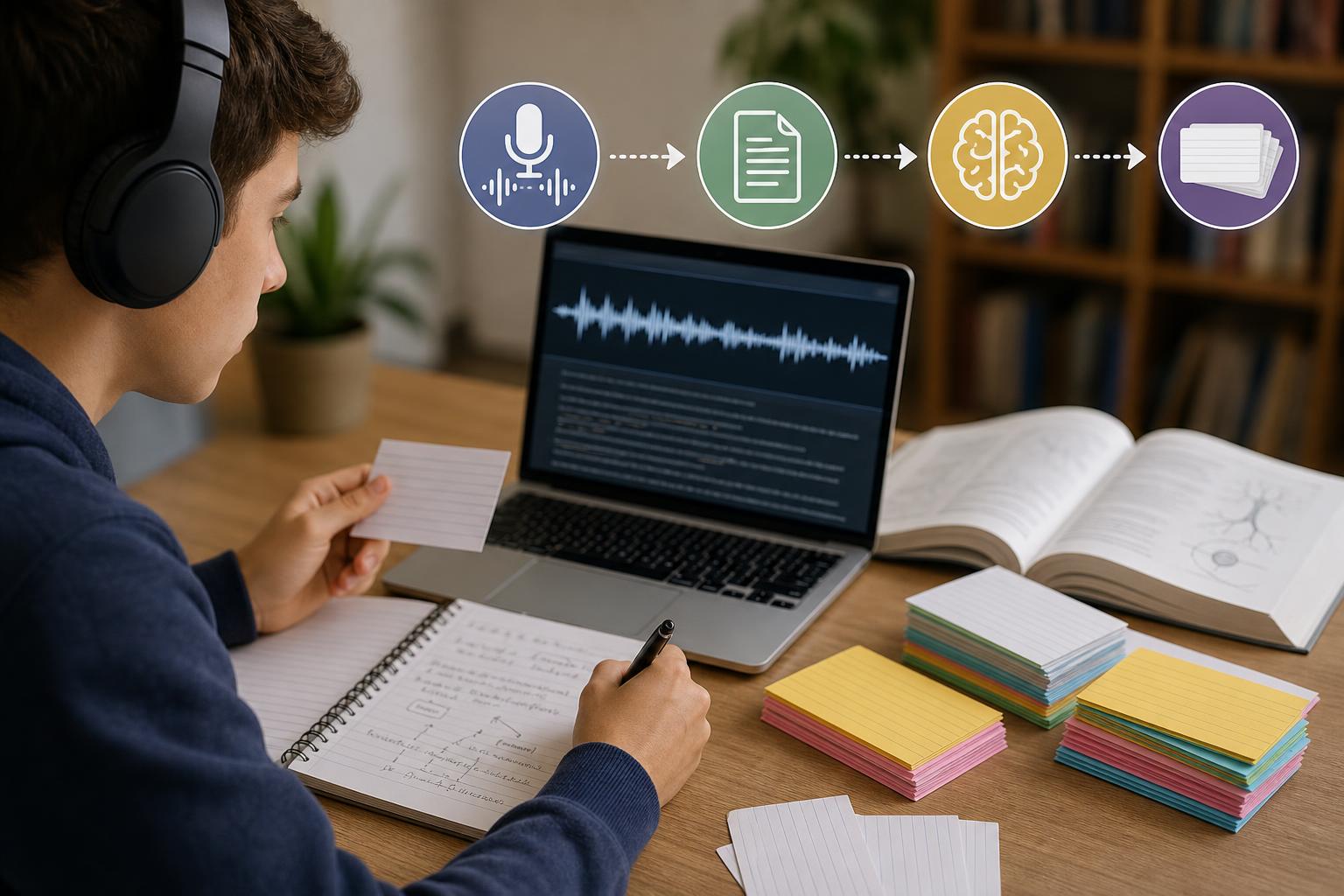
To make flashcards from a lecture recording, upload or record the class in AI Study Assistant, generate a transcript, and review it for transcription errors and important context. Next, identify definitions, processes, comparisons, formulas, causes, and examples that are likely to be tested. Generate question-and-answer cards from those concepts, then check each card against the transcript before studying with active recall. This lecture-to-flashcards AI workflow saves time while keeping you responsible for accuracy, clarity, and alignment with what your teacher actually covered.
Key takeaways
- Review and correct the lecture transcript before generating flashcards, especially names, formulas, dates, and technical vocabulary.
- Prioritize testable concepts such as definitions, processes, cause-and-effect relationships, comparisons, and instructor-emphasized points.
- Keep each flashcard focused on one question or concept so that active recall remains precise.
- Use AI Study Assistant to create flashcards from audio, then verify every answer against the lecture and course materials.
- Revise vague, overly broad, or duplicate cards before adding them to your regular study sessions.
1. Record or upload the lecture
Start with a clear recording of the class. If permitted by your school and instructor, record the lecture directly or upload an existing audio or video file to AI Study Assistant. Position your device where the instructor can be heard, reduce background noise, and avoid covering the microphone. If the lecture includes diagrams, equations, or demonstrations, keep the corresponding slides or handwritten notes nearby because audio alone may not capture every visual detail. Label the file with the course, topic, and date so you can find it later.
2. Generate and review the transcript
Generate a transcript from the recording, but do not treat the first draft as automatically correct. Read through it while checking unclear passages against the audio. Correct technical terms, names, dates, formulas, abbreviations, and words that sound alike. Add headings when the instructor changes topics, and mark references to diagrams or slides. A clean transcript gives an automatic flashcard generator for students better source material and reduces the risk of producing cards with inaccurate answers.
3. Identify concepts worth turning into flashcards
Look for material that requires retrieval rather than simple recognition. Strong candidates include definitions, steps in a process, functions, formulas, historical causes, consequences, comparisons, examples, and exceptions to a rule. Pay particular attention when the instructor repeats an idea, says it is important, connects it to an assignment, or explains how it may appear on an exam. Avoid creating cards from greetings, administrative reminders, unfinished statements, or details that do not support the course objectives.
4. Generate focused cards with AI Study Assistant
Use AI Study Assistant to turn the reviewed lesson into study flashcards from lectures. Generate a manageable set based on the full lesson or a selected transcript section. Ask for cards that cover one testable idea at a time and use the terminology from the course. A definition card might ask, “What is active recall?” A process card might ask, “What are the stages of mitosis in order?” For deeper learning, include application and comparison questions instead of producing only vocabulary cards.
5. Check every flashcard for accuracy and clarity
Compare each generated answer with the transcript, lecture slides, assigned reading, and your class notes. Delete unsupported claims and fix cards that reverse a relationship, omit a necessary condition, or oversimplify the instructor’s explanation. Make sure the question has only one reasonable interpretation and that the answer is concise but complete. If a card asks several questions at once, split it into separate cards. This verification step is essential whenever you create flashcards from audio with AI.
6. Study the cards with active recall
Review each question before revealing the answer, then answer aloud, in writing, or mentally from memory. Rate the card based on whether your answer was complete—not whether the correct answer looked familiar after you revealed it. Revisit difficult cards more frequently and space successful cards over longer intervals. If you repeatedly miss a card, return to the relevant transcript passage and improve your understanding rather than memorizing disconnected wording.
A practical quality checklist
Before studying, confirm that every card is supported by the lecture or another approved course source, tests one main idea, uses clear wording, and includes enough context to stand alone. Check that technical terms are spelled correctly and that formulas include defined variables and units when needed. Remove duplicates, combine cards that test the same fact, and split cards with multiple independent answers. The final set should reflect the lecture’s learning goals instead of attempting to preserve every sentence.
Flashcards
What is the first step when turning a lecture recording into flashcards?
Upload or record the lecture and generate a transcript that can be reviewed.
Why should a lecture transcript be reviewed before AI generates flashcards?
Correcting transcription errors prevents inaccurate terms, formulas, names, and claims from appearing in the cards.
Which lecture details are usually strong flashcard candidates?
Definitions, processes, formulas, comparisons, causes, effects, examples, exceptions, and instructor-emphasized concepts.
What is the one-concept-per-card principle?
Each flashcard should test one main idea so the learner can judge recall accurately.
How can a student verify an AI-generated flashcard?
Compare it with the recording, reviewed transcript, lecture slides, assigned reading, and class notes.
What should you do with a flashcard that asks several independent questions?
Split it into separate cards, with each card testing one question or concept.
What is active recall?
Active recall is the practice of retrieving information from memory before viewing the answer.
Why are instructor-emphasized points useful for flashcard creation?
Repetition and explicit emphasis can signal concepts that are central to the lesson or likely to be assessed.
What should you do when a card is repeatedly difficult?
Return to the relevant lecture material, clarify the concept, and revise the card if its wording is unclear.
Why should visual course materials be checked alongside a recording?
Audio may not fully capture diagrams, equations, demonstrations, labels, or information shown only on slides.
Quiz
1. What should you do immediately after generating a lecture transcript?
- A. Memorize the transcript word for word
- B. Review it for errors and missing context
- C. Delete the original recording
- D. Generate as many cards as possible
Show answer
Answer: Review it for errors and missing context
Reviewing the transcript helps correct names, terminology, formulas, and unclear passages before those errors enter the flashcard set.
2. Which item is the best candidate for a study flashcard?
- A. A reminder that class ends early
- B. An unrelated joke from the lecture
- C. The stages of a process explained by the instructor
- D. A repeated filler phrase
Show answer
Answer: The stages of a process explained by the instructor
Processes require structured retrieval and are commonly connected to learning objectives and assessments.
3. What is wrong with a card that asks for a definition, three examples, and two exceptions at once?
- A. It uses information from a lecture
- B. It tests too many ideas in one card
- C. It contains an answer
- D. It requires active recall
Show answer
Answer: It tests too many ideas in one card
A card with multiple independent tasks makes it difficult to evaluate recall. Splitting it creates more focused practice.
4. How should you use an AI-generated answer before studying it?
- A. Assume it is correct because it came from the recording
- B. Replace it with a longer answer regardless of content
- C. Verify it against the transcript and course materials
- D. Study it without reading the question
Show answer
Answer: Verify it against the transcript and course materials
AI-generated material can contain transcription mistakes, missing context, or unsupported interpretations, so verification is necessary.
5. Which study behavior best demonstrates active recall?
- A. Rereading the answer several times
- B. Highlighting every sentence in the transcript
- C. Answering the card before revealing the back
- D. Listening to the lecture in the background
Show answer
Answer: Answering the card before revealing the back
Active recall requires retrieving the information from memory before checking the correct answer.
FAQs
Can AI automatically make flashcards from a lecture recording?
Yes. AI Study Assistant can process a recorded or uploaded lesson, generate a transcript, and turn the material into flashcards. You should still review the transcript and verify every card because audio quality, specialized terminology, and missing visual context can affect accuracy.
How many flashcards should I make from one lecture?
There is no fixed number. Create enough cards to cover the lecture’s important learning objectives without turning every sentence into a question. A focused set of clear, nonduplicate cards is usually more useful than a very large set containing minor details.
What types of flashcards work best for lecture material?
Use a mixture of definition, process, comparison, cause-and-effect, formula, application, and example-based cards. The best format depends on the subject, but each card should test one clear idea and have an answer supported by the course material.
Can I turn class notes into flashcards along with the audio?
Yes. Combining the reviewed transcript with class notes and slides can add context that the recording missed, especially for diagrams, equations, demonstrations, and information presented visually.
Next step
Turn this topic into a study session with notes, flashcards, and a practice quiz built from your own class material.
Related guides
- How to make flashcards from lecture notes with AI
- How to make flashcards from a lecture
- How to make flashcards from lecture transcripts
- How to create a practice quiz from a lecture
- How to turn a recorded lecture into study notes
- How to make flashcards from lecture recordings
- How to make flashcards from lecture notes
- AI flashcards vs traditional flashcards

Leave a Reply