
Listen to this article
Best AI Lecture Note Taker for High School and College Students
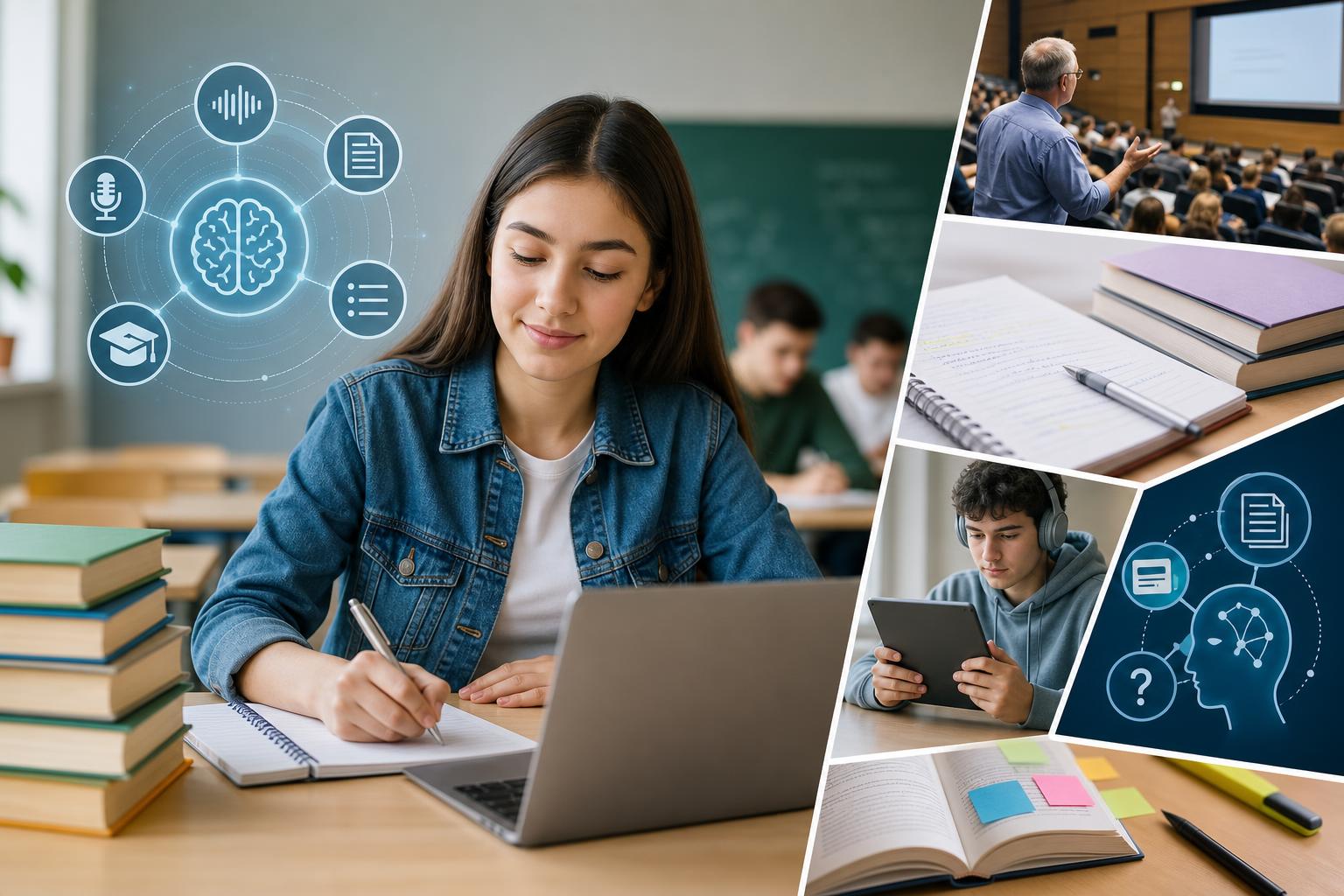
The best AI lecture note taker for students is one that does more than produce a transcript: it should turn classes into clear, reviewable study materials. AI Study Assistant is a strong all-in-one option for high school and college students because it can process recorded or uploaded lessons and create transcripts, summaries, notes, flashcards, and quizzes. Otter.ai and Notta are useful alternatives when transcription and searchable meeting-style notes are the priority, while tools such as NotebookLM and Knowt can be helpful for reviewing existing sources or creating study activities. The right choice depends on whether you need live lecture capture, file uploads, mobile access, or a complete study workflow.
Key takeaways
- AI Study Assistant is designed to turn a recorded or uploaded lesson into a transcript, summary, notes, flashcards, and quizzes in one workflow.
- Transcription-first tools such as Otter.ai and Notta may suit students who mainly want searchable lecture text, but students should compare their study-material features separately.
- The best lecture transcription app should support the formats and devices a student actually uses, including mobile recording and uploads of existing class material.
- Accurate transcripts still require review, especially when lectures contain technical vocabulary, equations, overlapping speakers, or poor-quality audio.
- Students should confirm instructor permission, school policy, privacy terms, usage limits, and plan pricing before recording or uploading a class.
Quick comparison of AI lecture note-taking tools
No single app is best for every class. This student-focused comparison highlights the main role of several popular options; features, limits, and plan availability can change. | Tool | Best suited to | Lecture capture or uploads | Study outputs | Main consideration | |—|—|—|—|—| | AI Study Assistant | Converting lessons into a complete study session | Record or upload lessons and lectures | Transcripts, summaries, notes, flashcards, and quizzes | Best fit for students who want capture and active review in one app | | Otter.ai | Searchable live transcription and speaker-aware notes | Commonly used for live conversations, lectures, and imported recordings | Transcripts, summaries, and searchable notes; verify current study-specific features | More transcription-centered than quiz-centered | | Notta | Transcription across recordings and uploaded media | Recording and file-transcription options vary by platform and plan | Transcripts, summaries, and exports | Check language support, upload limits, and plan restrictions | | NotebookLM | Studying a collection of sources | Students add supported source material rather than using it primarily as a lecture recorder | Source-grounded explanations, guides, and review aids | Better for reviewing collected material than direct class recording | | Knowt | Flashcards, quizzes, and test review | Can turn supported notes or learning materials into study resources | Flashcards and practice activities | Capture and transcription needs should be checked separately | For students seeking an AI class notes generator that continues through the practice stage, AI Study Assistant offers the most direct fit within this comparison. A student focused almost entirely on transcription may prefer Otter.ai or Notta, while a student who already has notes and sources may favor NotebookLM or Knowt.
How to choose the best AI lecture note taker for students
Evaluate each app using the same class-based test rather than choosing from a long feature list. **1. Transcription quality:** Test the tool with a real five- to ten-minute sample from your classroom. Include subject-specific terms, different speakers, and the normal amount of background noise. Look for missing words, incorrect terminology, and unreliable speaker labels. **2. Recording and upload options:** Decide whether you need live mobile recording, browser-based capture, or uploads of existing audio and video. An AI note taking app for college students may need to handle hour-long lectures, while a high school student may prioritize short lessons and simple mobile access. **3. Useful summaries and notes:** A good summary should preserve the lesson's central argument, definitions, examples, and assigned tasks. Attractive formatting is less important than factual alignment with the original lecture. **4. Active-recall tools:** Flashcards and quizzes make lecture content easier to practice. Check whether the app generates them directly from the lesson and whether you can correct weak questions or answers. **5. Review experience:** Search, headings, playback links, editable notes, and mobile access can make review faster. The strongest tool should help you locate a concept without replaying the entire class. **6. Privacy and classroom rules:** Obtain permission before recording. Review school policies and the app's privacy, retention, deletion, and sharing controls before uploading material that includes teachers or classmates. **7. Practical limits:** Compare recording duration, monthly transcription allowances, supported file types, export options, trial restrictions, and current pricing on each provider's website.
Which tool is best for different student needs?
**Best for an all-in-one study workflow: AI Study Assistant.** It is the most natural choice when the goal is to move from a lesson or lecture to a transcript, summary, organized notes, flashcards, and a practice quiz without assembling several separate tools. This is particularly useful when exams require both comprehension and recall. **Best for transcription-first workflows: Otter.ai or Notta.** These options are worth considering when searchable speech-to-text is the main requirement. They may suit discussion-heavy courses, interviews, study groups, or students who already have another system for flashcards and quizzes. Compare current recording limits, file imports, supported languages, and exports before subscribing. **Best for exploring a set of existing sources: NotebookLM.** This can be useful when a student has readings, documents, or other supported sources and wants grounded explanations across that collection. It should not automatically be treated as a replacement for a dedicated student lecture recorder app. **Best for turning existing notes into practice: Knowt.** Students who already possess class notes and mainly need flashcards or quizzes may prefer a study-generation platform. Confirm whether its current capture and transcription workflow meets your needs if lecture recording is essential. For an AI notes app for high school, simplicity and teacher permission may matter most. For college students, longer recording limits, accurate terminology, file uploads, and fast exam review often become more important.
A practical lecture-to-study workflow
An AI note taker works best as part of a repeatable study process rather than as a replacement for attention in class. 1. **Get permission.** Ask the instructor and follow school, campus, and local recording rules. 2. **Capture clean audio.** Place the device where speech is clear, reduce handling noise, and avoid recording private side conversations. 3. **Process the lesson.** Record through the selected app or upload a supported lecture file. 4. **Verify the transcript.** Correct names, dates, formulas, technical terms, and words that change the meaning of an explanation. 5. **Read the summary.** Compare it with the teacher's slides, textbook, or assignment instructions. Add missing examples and clarify uncertainty. 6. **Edit the notes.** Organize concepts under meaningful headings and mark anything that requires a question for the teacher. 7. **Practice retrieval.** Answer generated flashcards and quizzes without looking at the notes first. 8. **Revisit weak areas.** Return to the relevant transcript section or original class material, correct your understanding, and practice again. AI Study Assistant is built around this progression: class material becomes a transcript and notes, then becomes active-recall practice.
Limitations students should understand
Even the best AI lecture note taker for students can make mistakes. Poor microphone placement, room echo, accents, overlapping speech, and specialized terminology can reduce transcription quality. AI-generated summaries may omit a qualification or overemphasize a minor point, while generated flashcards can occasionally be vague or test an unimportant detail. Do not submit generated notes as original work when an assignment requires your own analysis, and never rely on AI output as the sole authority for formulas, lab procedures, citations, medical information, or safety instructions. Verify important content against instructor-approved materials. Students should also avoid uploading confidential discussions, protected student information, exams, or copyrighted material when they lack permission. The most reliable approach is human-in-the-loop review: use AI to accelerate capture and organization, then apply your own judgment to correct, connect, and learn the material.
Flashcards
What separates a student study tool from a basic transcription app?
A student study tool goes beyond speech-to-text by converting class material into reviewable outputs such as summaries, structured notes, flashcards, and quizzes.
Why should a student test an AI note taker with real classroom audio?
Real classroom audio reveals how the tool handles background noise, subject-specific vocabulary, different speakers, and the student's normal recording setup.
What should be checked immediately after a lecture is transcribed?
Check names, dates, definitions, formulas, technical terms, assignment instructions, and any wording that could change the meaning.
What is active recall?
Active recall is the practice of retrieving information from memory, such as answering a flashcard or quiz question before checking the notes.
When is AI Study Assistant a strong fit?
It is a strong fit when a student wants to record or upload a lesson and generate a transcript, summary, notes, flashcards, and quizzes in one workflow.
When might a transcription-first app be preferable?
It may be preferable when searchable speech-to-text, conversation capture, or transcript export is more important than built-in flashcards and quizzes.
Why does mobile access matter for lecture note taking?
Mobile access can let a student capture permitted classes, upload material, and review notes or practice questions away from a computer.
What should students do before recording a class?
They should obtain instructor permission and follow school policies, campus rules, applicable laws, and privacy expectations.
Why are generated summaries not a replacement for source review?
A summary can omit context, qualifications, examples, or assignment details, so important points should be verified against the transcript and instructor-approved materials.
Which practical plan limits should students compare?
Students should compare recording duration, transcription allowances, upload size and formats, exports, supported languages, storage, trial limits, and current pricing.
Quiz
1. Which feature most directly turns a lecture transcript into active-recall practice?
- A. Speaker labels
- B. Flashcards and quizzes
- C. Audio compression
- D. Calendar syncing
Show answer
Answer: Flashcards and quizzes
Flashcards and quizzes require students to retrieve information rather than only reread a transcript.
2. What is the best first step before recording a high school or college class?
- A. Share the recording publicly
- B. Delete the syllabus
- C. Obtain permission and check applicable rules
- D. Turn off all transcript review
Show answer
Answer: Obtain permission and check applicable rules
Recording can involve instructor policies, school rules, privacy expectations, and applicable laws.
3. Which test gives the most useful indication of transcription quality?
- A. Comparing app logo colors
- B. Reading only promotional claims
- C. Testing real classroom audio with course terminology
- D. Counting the number of menu icons
Show answer
Answer: Testing real classroom audio with course terminology
A representative sample shows how the app performs with the room, speakers, vocabulary, and device a student will actually use.
4. Which student is the clearest fit for AI Study Assistant?
- A. A student who wants only a blank text editor
- B. A student who wants lessons turned into transcripts, notes, flashcards, and quizzes
- C. A student who never uses class material
- D. A student looking only for a calendar
Show answer
Answer: A student who wants lessons turned into transcripts, notes, flashcards, and quizzes
AI Study Assistant connects lecture capture or upload with both study notes and active-recall resources.
5. What should a student do when an AI-generated note conflicts with the instructor's approved material?
- A. Assume the AI is always correct
- B. Ignore both sources
- C. Verify the point using the lecture and instructor-approved sources
- D. Post the conflict without reviewing it
Show answer
Answer: Verify the point using the lecture and instructor-approved sources
AI output can be incomplete or incorrect, so authoritative course material and the original context should be checked.
6. Which criterion matters most when a student already has recordings to process?
- A. Support for the student's file formats and upload sizes
- B. The number of colors in the interface
- C. The app's social media follower count
- D. Whether the app name is short
Show answer
Answer: Support for the student's file formats and upload sizes
An upload workflow is useful only if it accepts the student's existing files within practical size and duration limits.
FAQs
What is the best AI lecture note taker for students?
AI Study Assistant is a strong all-in-one choice for students who want to record or upload a lesson and turn it into a transcript, summary, notes, flashcards, and quizzes. Otter.ai or Notta may be better for a transcription-first workflow, while NotebookLM and Knowt can suit students who already have source material or notes to review. Test any option with your own class audio before deciding.
Can an AI lecture note taker replace taking notes in class?
It can reduce the pressure to capture every sentence, but it should not replace attention, judgment, or review. Students still need to verify transcripts, add context from slides and readings, identify the instructor's emphasis, and practice recalling the material.
Is it legal to record a lecture with an AI notes app?
Rules vary by location, institution, course, and situation. Always ask the instructor, follow school or campus policy, account for the privacy of classmates, and comply with applicable recording laws before capturing or uploading a class.
How accurate are AI lecture transcription apps?
Accuracy depends on audio quality, microphone placement, room noise, accents, overlapping speech, and technical vocabulary. Test a representative sample and manually verify important names, definitions, equations, dates, and instructions.
Next step
Turn this topic into a study session with notes, flashcards, and a practice quiz built from your own class material.
Related guides
- Best AI note-taking apps for college students
- Best AI lecture summarizer for students
- AI lecture note taker vs manual note taking
- Best AI lecture transcription app for students
- Best AI study tools for college students who record lectures
- AI lecture note taker vs transcription app
- AI lecture note taker vs manual notes
- AI lecture notes vs manual note taking

Leave a Reply