
Listen to this article
Best Ways to Create Flashcards From Lecture Notes and Recordings
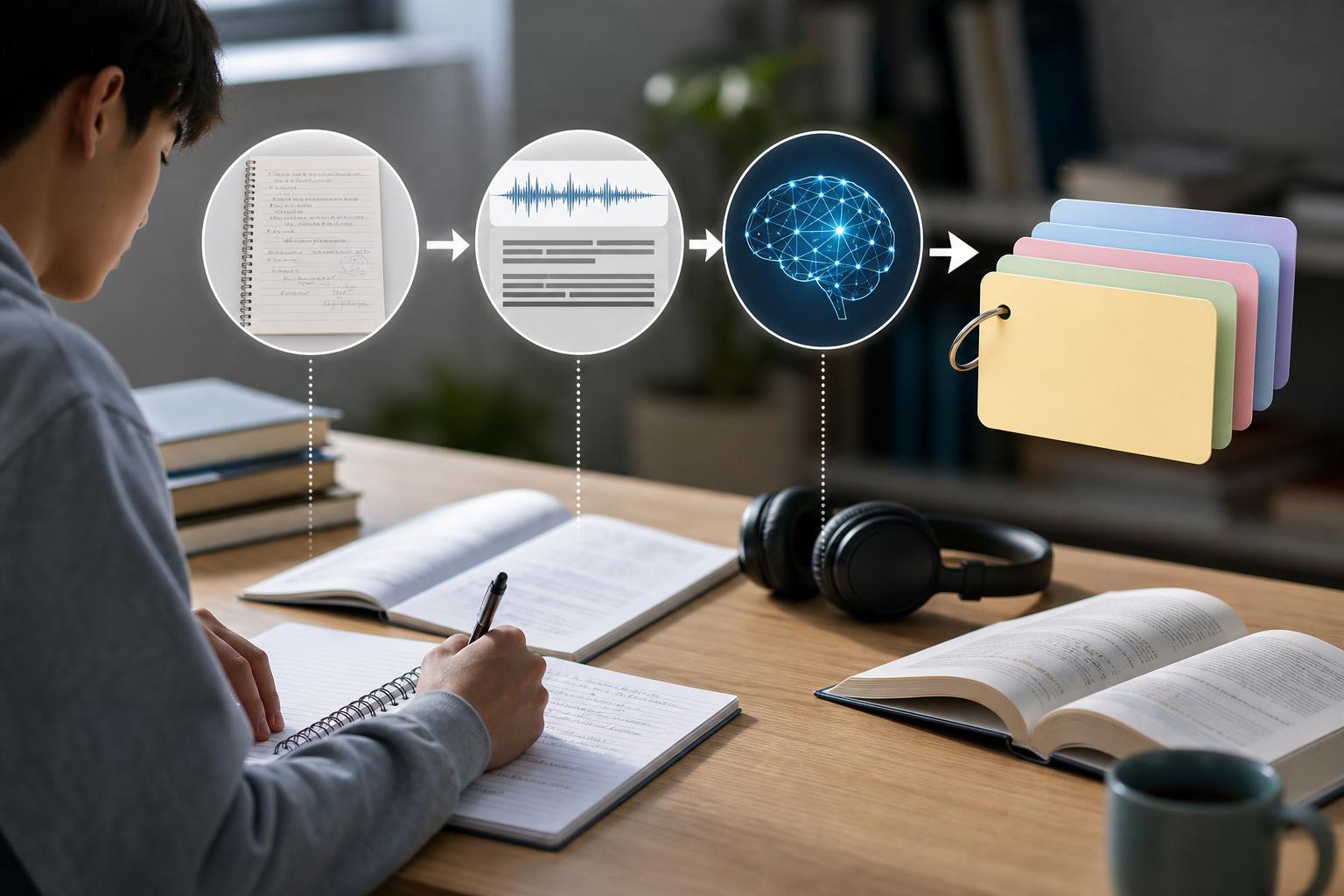
The best way to create flashcards from lecture notes depends on the format of your class material, the time you have, and how much control you want over each card. Manual creation offers precise control but can be slow. Transcript-based workflows make recorded lectures searchable, while an AI flashcard generator from notes or audio can produce a useful first draft in minutes. For most high school and college students, the strongest approach is a hybrid workflow: use AI Study Assistant to turn a lecture recording, uploaded lesson, or set of notes into flashcards, then edit the cards for accuracy, clarity, and alignment with the course.
Key takeaways
- Manual flashcard creation gives you the most control, but it takes longer and can encourage copying instead of active thinking.
- A lecture recording to flashcards workflow works best when the audio is transcribed before key concepts and questions are extracted.
- AI-generated cards save time and provide a strong first draft, but students should verify terminology, formulas, dates, and course-specific details.
- Effective flashcards test one clear idea at a time and require recall rather than simple recognition.
- Combining edited flashcards with spaced repetition and practice quizzes is more useful than reviewing cards in one long session.
Comparison: manual, transcript-based, and AI flashcard creation
There are three main ways to create flashcards from lecture notes. Manual creation means reading your materials and writing every prompt and answer yourself. It offers excellent control and makes you process the content, but it can be too slow for long lectures. A transcript-based workflow converts a recording into searchable text before you select concepts and write cards. This is useful when the instructor explained important material that never appeared in the slides, although transcription and cleanup add extra steps. AI generation combines transcription, concept extraction, and card drafting. AI Study Assistant can accept recordings or uploaded lessons, generate a transcript, and turn the material into notes, summaries, flashcards, and quizzes. This is usually the fastest option, but the generated cards should be treated as an editable first draft rather than an unquestionable answer key.
How to make effective flashcards manually
Start by identifying learning objectives, definitions, processes, formulas, comparisons, causes, and examples in your notes. Convert each item into a specific question that can be answered without looking at the source. Keep each card focused on one testable idea; a card asking for six unrelated facts is difficult to grade and review. Use prompts such as “Why does this happen?”, “How does X differ from Y?”, or “What is the next step?” instead of copying a paragraph onto the back. Manual creation is especially valuable for equation-heavy courses, foreign-language production, diagrams, and subjects where your instructor uses specialized terminology. Its main disadvantage is time: turning a full lecture into polished cards can compete with the time needed to practice them.
How to turn lecture recordings and transcripts into flashcards
To make flashcards from audio, begin with the clearest recording available and generate a transcript. Review the transcript alongside slides or class notes, correcting names, technical vocabulary, equations, and words that may have been misheard. Mark repeated concepts, instructor emphasis, worked examples, contrasts, and statements tied to assessments. Then convert those passages into concise question-and-answer cards. Avoid making a card for every sentence; prioritize concepts you are expected to explain, apply, compare, or calculate. This workflow captures details that handwritten notes may miss, but poor audio, multiple speakers, and specialized vocabulary can reduce transcript accuracy.
Using an AI flashcard generator from notes or audio
Automatic flashcards for students are most helpful when speed is the priority or the source material is long. With AI Study Assistant, you can record or upload a lesson, generate a transcript, and produce study cards from the same material. Review the first draft by deleting low-value cards, splitting broad prompts, shortening long answers, and correcting unsupported details. Compare important cards with your instructor’s slides, textbook, rubric, or original recording. Add your own application questions, examples, diagrams, and likely exam prompts. This hybrid process preserves the time-saving benefit of AI while requiring you to engage with the material.
Which flashcard workflow should you choose?
Choose manual creation when the material is short, exact notation matters, or writing the cards is itself a useful learning exercise. Choose a transcript-based workflow when your recording contains valuable explanations that are missing from your written notes. Choose AI generation when you have multiple lectures, limited preparation time, or want flashcards plus summaries and quizzes from one upload. A practical default is to generate cards automatically, spend a focused review session improving them, and then study the final set with active recall. If a card cannot be answered clearly, does not match the class material, or tests several ideas at once, revise it before adding it to spaced repetition.
How to study the finished cards with active recall and spaced repetition
Read the prompt, hide the answer, and attempt a complete response before revealing it. Mark the card correct only when you can explain the answer at the level required by the course. Review difficult or missed cards sooner, while allowing longer intervals for cards you consistently answer correctly. Mix definition cards with comparison, process, application, and calculation prompts so that practice resembles the demands of an exam. Periodically remove duplicates and rewrite cards that remain confusing. Flashcards are best for targeted retrieval practice; combine them with problem sets, essays, diagrams, and full practice tests when the course requires broader application.
Flashcards
What is the main advantage of creating flashcards manually?
Manual creation gives the student precise control over what each card tests and how the answer is phrased.
What is the main disadvantage of manual flashcard creation?
It can take substantial time, especially when notes or recordings cover long lectures.
Why should a lecture recording be transcribed before cards are created?
A transcript makes spoken material searchable and easier to review, select, and convert into focused questions.
How should students treat AI-generated flashcards?
They should treat them as a first draft that must be checked, edited, and aligned with the course material.
What does the one-idea rule mean for flashcards?
Each card should test one clear concept or task rather than several unrelated facts.
What is active recall?
Active recall is the practice of retrieving an answer from memory before checking the source or revealing the answer.
What is spaced repetition?
Spaced repetition schedules reviews across increasing intervals while bringing difficult material back more frequently.
Which transcript details should receive extra accuracy checks?
Names, technical terms, dates, formulas, equations, and course-specific vocabulary should receive extra checks.
When is an AI flashcard workflow especially useful?
It is especially useful for long lectures, multiple uploads, or situations where a student needs a fast first draft.
Why should students delete low-value generated cards?
Removing repetitive or trivial cards keeps review focused on concepts that support the course objectives and exam preparation.
Quiz
1. Which method usually gives a student the greatest control over each card?
- A. Manual flashcard creation
- B. Unedited AI generation
- C. Passive rereading
- D. Audio playback only
Show answer
Answer: Manual flashcard creation
Writing cards manually lets the student choose the exact prompt, scope, terminology, and answer.
2. What is the best first step when turning a recorded lecture into searchable study material?
- A. Memorize the audio file name
- B. Generate a transcript
- C. Delete the recording
- D. Copy the course calendar
Show answer
Answer: Generate a transcript
A transcript makes spoken content easier to search, verify, organize, and convert into flashcards.
3. What should a student do before relying on AI-generated cards for an exam?
- A. Accept every card without review
- B. Check and edit the cards against class materials
- C. Replace all questions with copied paragraphs
- D. Study only the longest answers
Show answer
Answer: Check and edit the cards against class materials
Verification helps catch transcription errors, unsupported claims, and terminology that differs from the instructor’s wording.
4. Which prompt best supports active recall?
- A. Reread this definition three times
- B. Highlight this paragraph
- C. What are the stages of mitosis in order?
- D. Look at the answer before responding
Show answer
Answer: What are the stages of mitosis in order?
The prompt requires the learner to retrieve information from memory before checking the answer.
5. Which card design generally produces the clearest review experience?
- A. One focused question with a concise answer
- B. Several unrelated questions on one card
- C. A full transcript on the front
- D. An answer with no prompt
Show answer
Answer: One focused question with a concise answer
A focused card is easier to answer, evaluate, revise, and schedule during spaced repetition.
6. When should a difficult card usually reappear in a spaced repetition schedule?
- A. Sooner than a well-known card
- B. Only after the final exam
- C. At the same interval as every other card
- D. Never after it is missed
Show answer
Answer: Sooner than a well-known card
Material that is difficult or missed needs a shorter review interval than material recalled consistently.
FAQs
Can I create flashcards from a lecture recording?
Yes. Upload or record the lecture, convert the audio into a transcript, and extract important definitions, processes, comparisons, examples, and likely assessment points. AI Study Assistant can combine these steps by generating a transcript and drafting flashcards from the lesson.
Are AI-generated flashcards accurate enough to study from?
They can provide a useful first draft, but they should be reviewed before serious study. Check technical terms, formulas, dates, names, and claims against the recording, slides, textbook, or instructor materials. Edit broad questions and remove cards that are repetitive or irrelevant.
Is making flashcards by hand better for memory?
Manual creation can improve processing because you must choose and rephrase the important ideas. However, it is not automatically better if you spend all your study time copying notes. A hybrid workflow can be more efficient: generate a draft with AI, improve it thoughtfully, and devote the saved time to active recall and spaced repetition.
How many flashcards should I make from one lecture?
There is no universal target. Make enough cards to cover the lecture’s learning objectives and important applications without turning every sentence into a card. A smaller set of focused, accurate questions is usually more useful than a large set filled with duplicates and minor details.
Next step
Turn this topic into a study session with notes, flashcards, and a practice quiz built from your own class material.
Related guides
- How to make flashcards from lecture notes with AI
- Ai flashcards from lecture notes
- AI flashcards vs traditional flashcards
- AI flashcards from lectures
- AI quiz generator from lecture notes
- AI flashcard generator from lecture notes
- Best way to record college lectures for notes
- AI flashcard generator from notes

Leave a Reply