
Listen to this article
How to Record a Lecture and Turn It Into Organized Study Notes
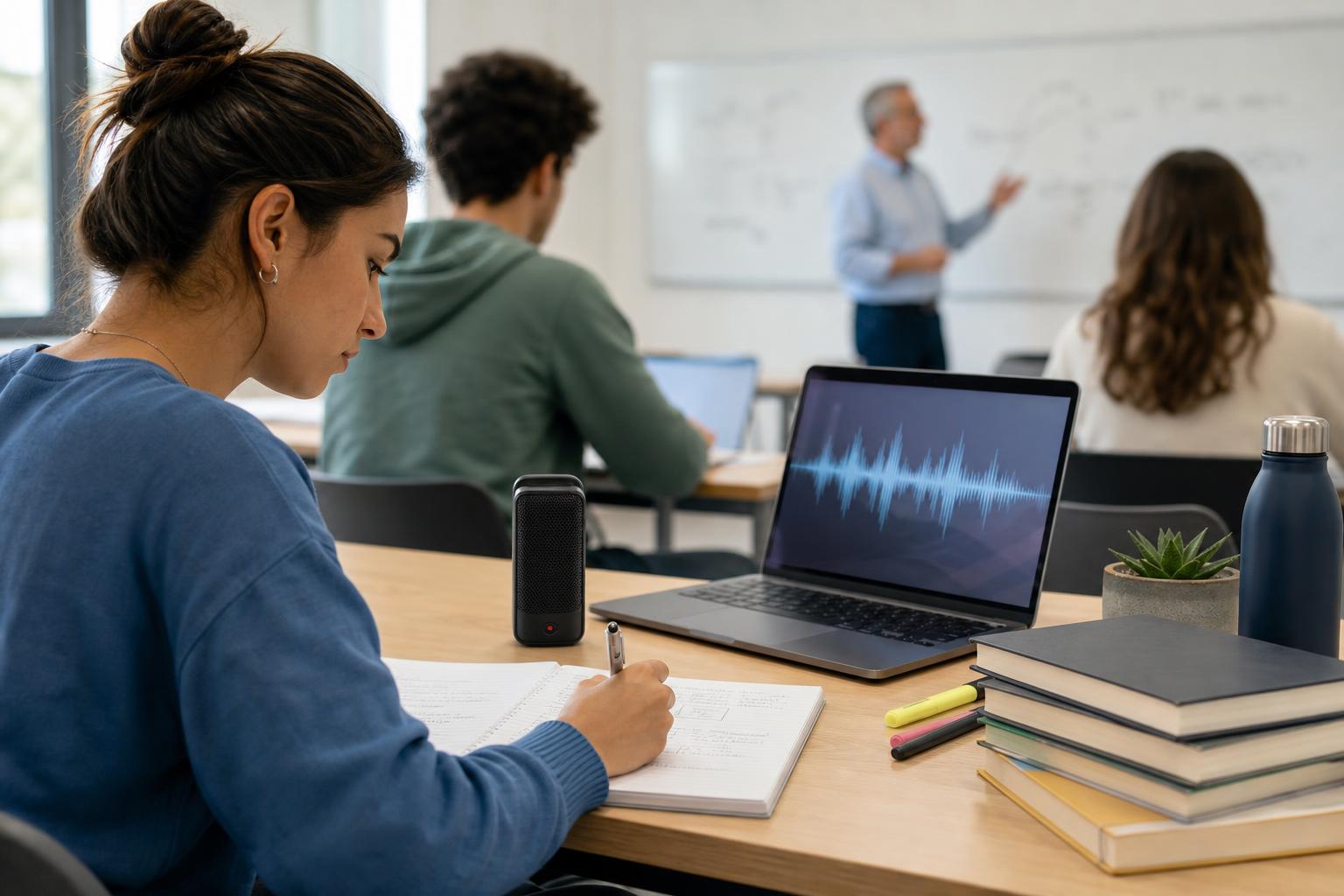
To record a lecture and turn it into organized study notes, first get permission to record, place your device where it can capture clear audio, and create a simple file-naming system. During class, add brief timestamps or markers instead of trying to write everything down. Afterward, upload the recording to a transcription or AI lecture note-taking tool, review the transcript for errors, and organize the lesson into topics, key ideas, examples, definitions, and action items. AI Study Assistant can streamline this workflow by turning recorded or uploaded lessons into transcripts, summaries, structured notes, flashcards, and quizzes for later review.
Key takeaways
- Ask the instructor for permission and follow your school’s recording, privacy, and accessibility policies before capturing a lecture.
- Clear audio is the foundation of accurate automatic lecture transcription, so test your device and position it close to the speaker.
- Use timestamps and short in-class markers to flag definitions, examples, confusing points, and likely assessment material.
- Convert the transcript into a consistent note structure rather than treating the full transcript as the finished study resource.
- Review AI-generated notes against the recording, slides, textbook, and your own understanding before studying from them.
- Turn organized notes into active-recall materials such as flashcards, practice questions, and short self-explanations.
1. Prepare to record the lecture
Before class, confirm that recording is allowed. Ask the instructor directly and check relevant school policies, especially when student discussions, personal information, clinical cases, or copyrighted material may be captured. A recording should be used only for its approved academic purpose and stored securely. Charge your phone, tablet, laptop, or recorder and make sure it has enough storage. Enable Do Not Disturb to prevent notifications and calls from interrupting the audio. Open the recording app early and run a short test to confirm that the speaker is audible without excessive background noise. Create a predictable file name such as `BIO101_Cell-Division_2026-03-12`. Including the course, topic, and date makes recordings and resulting notes easier to find later. If the instructor provides slides or an outline, download them before class so you can connect the audio to the lesson structure.
2. Capture clear audio and useful markers during class
Place the recording device close to the instructor and away from noisy objects such as bags, keyboards, fans, or rustling papers. In a large room, sitting near the front usually improves audio quality. Avoid covering the microphone, and leave the device stationary when possible. Do not stop listening just because the lecture is being recorded. Take lightweight notes that capture structure rather than every sentence. Write down the lesson title, main headings, unfamiliar terms, important formulas, assignment instructions, and questions you want to revisit. Add timestamps such as `18:40 — compare mitosis and meiosis` or use the recorder’s marker feature. These markers make it much faster to locate key moments later. Pay particular attention when the instructor repeats a point, says that something is important, connects a concept to an exam, works through an example, or corrects a common misconception. These signals can guide the later lecture recording-to-notes process.
3. Generate and clean the lecture transcript
After class, upload the audio to AI Study Assistant or another automatic lecture transcription tool. If you recorded a long class, process it as soon as practical while the lesson is still fresh. Keep the original audio until you have verified the transcript and notes. Automatic transcription creates a searchable written version of the lecture, but it may mishear technical terms, names, equations, abbreviations, or speech recorded in a noisy room. Review the transcript while checking your timestamps, slides, assigned reading, and the original audio. Correct mistakes that change meaning rather than spending time polishing every filler word. Add speaker labels when multiple voices matter, divide long passages under descriptive headings, and flag uncertain wording instead of guessing. For equations, diagrams, and demonstrations that audio cannot fully capture, insert a note such as `[Add diagram from slide 12]` or `[Verify equation with textbook]`.
4. Convert lecture audio into organized notes
A transcript is a record of what was said; organized notes are a study tool. Reduce the transcript into a hierarchy that shows how ideas relate. Start with the lecture title and learning objectives, then group material into major topics and supporting details. A useful structure is: – **Lesson overview:** Two or three sentences explaining the central topic. – **Learning objectives:** What you should be able to define, explain, compare, calculate, or apply. – **Main concepts:** Clear headings with concise explanations in your own words. – **Key terms:** Definitions plus a meaningful example where possible. – **Processes or arguments:** Numbered steps, cause-and-effect chains, or claim-evidence relationships. – **Examples:** Worked problems, cases, demonstrations, and analogies used by the instructor. – **Connections:** Links to earlier lessons, readings, assignments, or real-world applications. – **Questions and gaps:** Points that need clarification or further research. – **Assessment cues:** Topics emphasized by the instructor without assuming that every cue guarantees an exam question. AI Study Assistant can generate a transcript, summary, and organized notes from an uploaded or recorded lesson. Treat the generated output as a strong first draft: compare it with the source material, correct errors, add missing visual information, and rewrite difficult concepts in language you understand.
5. Refine the notes for fast review
Review the generated notes within 24 hours if possible. Begin by checking factual accuracy, terminology, numbers, dates, formulas, and the relationship between major ideas. Remove repetition and details that do not support the learning objectives, but preserve exceptions, instructor examples, and reasoning steps that may be important for application questions. Use formatting consistently. Headings should represent major concepts, bullets should capture supporting facts, numbered lists should show sequences, and tables should compare categories. Bold only the most important terms so emphasis remains meaningful. Add links or page references to slides and readings when they clarify the topic. Finish with a short summary written from memory. If you cannot explain the lesson without looking at the transcript, identify the weak section and revisit the corresponding audio. This turns passive transcript cleanup into active learning.
6. Turn the organized notes into a study system
Once the notes are accurate, convert them into active-recall activities. Create flashcards for terms, formulas, steps, comparisons, and cause-and-effect relationships. Use quizzes for application and misconception checks rather than asking only definition questions. AI Study Assistant can generate flashcards and practice quizzes directly from the same class material used to create the transcript and summary. Schedule brief reviews instead of waiting until the night before an assessment. For example, review the summary after class, answer flashcards two days later, take a short quiz at the end of the week, and revisit missed questions during the next study session. Keep the recording, transcript, notes, and review materials under the same course and lesson name so you can trace any unclear answer back to its source.
Flashcards
What should a student do before recording a lecture?
Get the instructor’s permission and check the school’s recording, privacy, and accessibility policies.
Why should a recording device be placed near the instructor?
Closer placement reduces background noise and produces clearer audio, which improves transcription accuracy.
What information belongs in a lecture recording file name?
Include the course, lesson topic, and date so the file is easy to identify and organize.
What is the purpose of adding timestamps during a lecture?
Timestamps mark important explanations, examples, questions, or confusing sections so they can be found quickly in the recording.
Why is a full transcript not the same as organized study notes?
A transcript preserves what was said, while organized notes select, group, and explain the information needed for learning and review.
Which transcript details require especially careful checking?
Technical terms, names, dates, numbers, formulas, abbreviations, and any wording that changes the meaning of a concept.
What categories can be used to organize lecture notes?
An overview, learning objectives, main concepts, key terms, processes, examples, connections, questions, and assessment cues.
How should diagrams or equations missing from an audio recording be handled?
Add a clear placeholder and verify the missing content using slides, the textbook, class materials, or the instructor.
How can students verify AI-generated lecture notes?
Compare them with the recording, transcript, slides, assigned reading, and personal understanding, then correct errors and omissions.
What should students create from finished lecture notes?
Create active-recall resources such as flashcards, practice quizzes, self-explanations, and scheduled review sessions.
Quiz
1. What is the best first step before recording a class lecture?
- A. Ask the instructor for permission
- B. Start recording without mentioning it
- C. Share the recording link with the class
- D. Delete all written notes
Show answer
Answer: Ask the instructor for permission
Permission and school policy should be addressed before recording because lectures may involve privacy, consent, or copyright considerations.
2. Which setup is most likely to improve automatic lecture transcription?
- A. A device inside a closed backpack
- B. A device near the speaker and away from noise
- C. A device playing notification sounds
- D. A device moved around throughout class
Show answer
Answer: A device near the speaker and away from noise
Clear, stable audio helps transcription software distinguish the lecturer’s speech from background sounds.
3. What is the most useful in-class note when recording the full lecture?
- A. A timestamp marking an important example
- B. A word-for-word copy of every sentence
- C. An unrelated homework list
- D. A list of other students in the room
Show answer
Answer: A timestamp marking an important example
A timestamp creates a quick route back to a significant part of the audio without duplicating the entire recording.
4. What should happen immediately after an automatic transcript is generated?
- A. Assume every word is correct
- B. Delete the original recording
- C. Review meaning-changing errors and technical terms
- D. Publish the transcript publicly
Show answer
Answer: Review meaning-changing errors and technical terms
Automatic transcripts can misinterpret specialized vocabulary, numbers, names, and unclear speech, so important content must be checked.
5. Which description best distinguishes organized notes from a transcript?
- A. Organized notes group and condense ideas for study
- B. Organized notes contain every filler word
- C. A transcript always explains diagrams perfectly
- D. A transcript automatically verifies every claim
Show answer
Answer: Organized notes group and condense ideas for study
Organized notes transform the lecture into a structured learning resource rather than preserving every spoken sentence.
6. What is the best way to use AI-generated lecture notes?
- A. Use them as a draft and verify them
- B. Memorize them without checking
- C. Replace all course materials with them
- D. Assume they capture every visual detail
Show answer
Answer: Use them as a draft and verify them
AI can accelerate transcription and organization, but students should verify accuracy and add context from slides, readings, visuals, and the original lesson.
FAQs
Can I record a lecture without asking the instructor?
Do not assume that recording is permitted. Ask the instructor and follow your school’s policies, applicable laws, and any rules covering privacy, accommodations, class discussions, and distribution. Permission to record for personal study does not automatically include permission to share the file.
What is the easiest way to convert lecture audio into notes?
Upload a clear recording to an AI lecture note taker for students, generate an automatic transcript, and turn that transcript into a summary and structured notes. AI Study Assistant supports this record-to-notes workflow and can also create flashcards and quizzes. Always review generated content for accuracy.
How should I organize lecture notes for studying?
Use the same structure for each lesson: overview, learning objectives, main concepts, key terms, processes, examples, connections, open questions, and assessment cues. Consistent headings make it easier to compare lessons and find information during review.
What if the lecture recording has poor audio?
Use your timestamps, slides, textbook, and written notes to reconstruct unclear sections. Replay difficult segments with headphones, verify technical terms from course materials, and ask the instructor or a classmate for clarification when needed. Mark uncertain content rather than inventing an answer.
Next step
Turn your recorded lecture into a focused study session with a transcript, organized notes, flashcards, and a practice quiz built from your own class material.
Related guides
- How to turn recorded lectures into notes
- How to turn a recorded lecture into notes
- Turn lecture recordings into study notes
- How to turn recorded lectures into study notes
- How to turn recorded lectures into notes with AI
- How to turn a lecture recording into notes
- How to record and transcribe lectures
- How to turn lecture recordings into notes

Leave a Reply