
Listen to this article
How to Turn a Lecture Recording Into Notes, Flashcards, and a Quiz
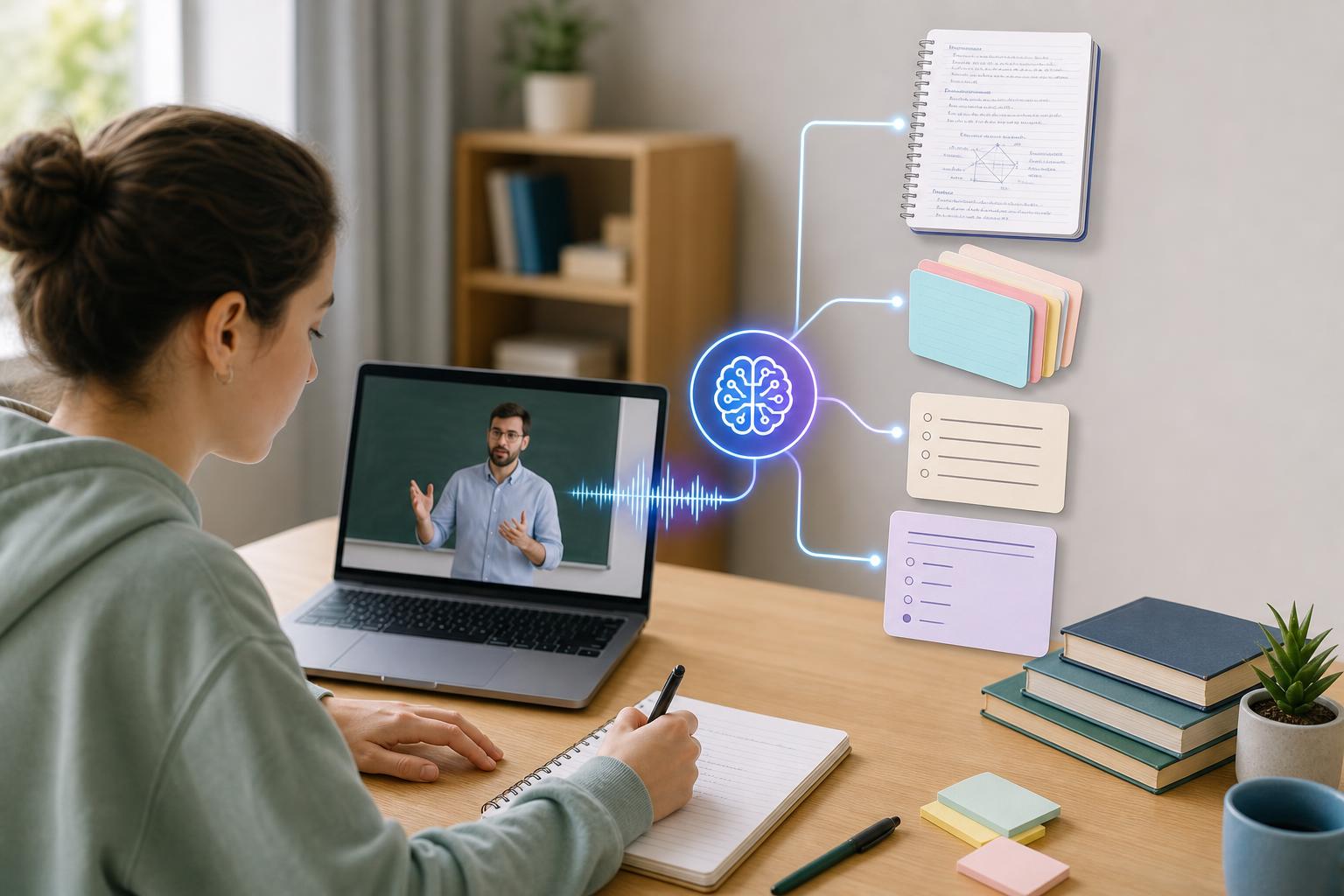
To turn a lecture recording into notes, start by recording the class or uploading an existing audio or video file to AI Study Assistant. Generate a transcript, correct important names and terms, and then convert the lesson into a structured summary and organized notes. From the same material, create focused flashcards for active recall and a practice quiz for self-testing. This repeatable workflow turns one recorded class into a complete set of study materials without requiring you to replay the entire lecture or build every resource manually.
Key takeaways
- Record or upload the complete lecture before generating study materials.
- Review the transcript for incorrect terminology, names, formulas, and dates.
- Organize lecture notes around concepts, explanations, examples, and likely assessment points.
- Convert the most important facts and relationships into focused flashcards.
- Create a quiz from the lecture and use missed questions to guide your next review.
- Keep the transcript, summary, notes, flashcards, and quiz together so you can move easily between context and active recall.
The step-by-step lecture-to-study-material workflow
A reliable workflow has six steps: 1. Record the class or upload an existing lecture recording. 2. Generate a searchable transcript of the lesson. 3. Review important terms and correct meaningful transcription errors. 4. Turn the transcript into a concise summary and structured notes. 5. Generate flashcards from definitions, processes, examples, and relationships. 6. Create a practice quiz, answer it without notes, and review your mistakes. AI Study Assistant brings these steps together in one web and mobile app. You can record or upload a lesson, generate its transcript, and turn the same class material into summaries, notes, flashcards, and quizzes. Keeping every output connected to the original lecture makes it easier to check context when a study question is unclear.
Step 1: Record or upload the full lecture
Begin with the clearest and most complete recording available. If you are recording a live class, place your device where the instructor can be heard without excessive background noise. Confirm that recording is allowed by your instructor, school, and local rules before starting. If the class was delivered online, you may already have an audio or video file that you can upload. Include the complete lecture when possible so that definitions, examples, transitions, and concluding remarks remain connected. Before processing a long class, verify that the file plays correctly and includes the sections you need. Clear source audio improves the usefulness of the transcript and every study material generated from it.
Step 2: Generate and review the lecture transcript
The transcript is the foundation for the rest of the workflow. An AI lecture notes generator can process the recording and make the lesson searchable, but you should still review details that affect meaning. Check course-specific vocabulary, instructor names, dates, formulas, abbreviations, foreign-language terms, and words that sound similar. You do not need to perfect every sentence. Prioritize errors that could produce a false fact or confusing flashcard. Add speaker labels or section breaks when they help distinguish the instructor's explanation from a student question. If timestamps are available, preserve them so you can return to the original discussion for clarification.
Step 3: Convert the lecture audio into a study guide and notes
A transcript captures what was said, while study notes organize what you need to understand. Ask for a short overview first, followed by notes grouped under meaningful topic headings. Effective notes should identify the main argument, essential terms, processes, comparisons, examples, evidence, formulas, and conclusions. Use a layered structure: • Summary: a brief explanation of the lecture's main purpose and conclusions. • Core notes: concepts and supporting details organized by topic. • Key terms: important vocabulary with lecture-based definitions. • Examples: cases or problems the instructor used to explain each concept. • Questions: unclear points to verify in a textbook, office hours, or the original recording. When you convert lecture audio to a study guide, preserve examples instead of reducing the class to isolated facts. Examples often show how an instructor expects students to apply a concept on an assignment or exam.
Step 4: Turn the lecture recording into flashcards
A lecture recording-to-flashcards workflow should produce prompts that require retrieval rather than recognition. Each card should test one clear idea whenever possible. Useful formats include term-to-definition cards, cause-and-effect questions, ordered process steps, compare-and-contrast prompts, formula applications, and questions based on the instructor's examples. Avoid cards with vague prompts such as “Explain chapter three” or answers containing an entire page of notes. Split broad ideas into smaller cards, but keep enough context to prevent ambiguity. For example, replace “What is homeostasis?” with “How does negative feedback help an organism maintain homeostasis?” Review generated cards against the transcript and remove duplicates, trivial details, and claims that were not actually supported by the lecture.
Step 5: Create a quiz from the lecture
A practice quiz should test more than memorized definitions. Include a balanced mix of factual recall, concept explanation, comparison, sequence, and application questions. For multiple-choice items, every question should have one defensible answer and plausible distractors. Short-answer questions are also useful because they require you to produce an explanation without seeing possible answers. Take the quiz before rereading your notes. Mark each response as correct, partially correct, or incorrect, then connect every mistake to the relevant note or transcript passage. Create new flashcards for recurring errors. This turns the quiz into a diagnostic tool rather than a final score.
Step 6: Use the materials as a repeatable study system
Do not treat generated materials as a one-time replacement for studying. Start with the summary to rebuild the lecture's structure, scan the notes for context, complete a flashcard review, and then take the quiz without assistance. Return to the transcript or recording only when you need to resolve confusion or hear the instructor's full explanation. Review difficult cards more frequently and space successful reviews over longer intervals. Before an exam, combine materials from related lectures into a broader study guide, but retain lecture labels so you can trace each concept to its source. AI Study Assistant can reduce the time spent assembling resources, while your checking, retrieval practice, and correction of mistakes provide the learning work.
Flashcards
What is the first step when turning a lecture recording into study materials?
Record the class clearly or upload a complete existing audio or video file.
Why should important terms in an AI-generated transcript be reviewed?
Incorrect names, formulas, dates, or technical terms can create misleading notes, flashcards, and quiz questions.
How is a lecture summary different from a transcript?
A transcript records what was said, while a summary condenses the lecture's main purpose, ideas, and conclusions.
What information should structured lecture notes capture?
They should capture main concepts, supporting details, definitions, processes, comparisons, examples, formulas, and conclusions.
What makes an effective lecture flashcard?
It tests one clear idea with enough context and requires the student to retrieve the answer.
Why should broad flashcards be divided into smaller cards?
Smaller cards isolate specific knowledge gaps and make recall practice more focused.
When should a student take a generated practice quiz?
The student should take it before rereading the notes so the results reflect unaided recall.
What should a student do after missing a quiz question?
Review the relevant note or transcript passage, correct the misunderstanding, and create a new flashcard if needed.
Why are lecture examples valuable in a study guide?
They show how concepts are applied and may reflect the type of reasoning expected on assignments or exams.
How can timestamps improve generated lecture notes?
They let the student return quickly to the original explanation when a note or question needs more context.
Quiz
1. Which action should come immediately after generating a lecture transcript?
- A. Delete the original recording
- B. Review important terms and meaningful errors
- C. Memorize every transcript sentence
- D. Combine it with unrelated lectures
Show answer
Answer: Review important terms and meaningful errors
Checking terminology, formulas, names, and dates prevents transcription mistakes from spreading into notes, flashcards, and quizzes.
2. Which output is best for seeing the overall purpose and main conclusions of a lecture quickly?
- A. A short lecture summary
- B. A raw audio waveform
- C. A list of timestamps only
- D. An unedited transcript
Show answer
Answer: A short lecture summary
A summary condenses the lecture into its central purpose, major ideas, and conclusions.
3. Which flashcard prompt is most suitable for active recall?
- A. Read the section about photosynthesis
- B. Photosynthesis
- C. How does chlorophyll contribute to photosynthesis?
- D. Look at the lecture transcript
Show answer
Answer: How does chlorophyll contribute to photosynthesis?
The prompt asks a specific question that requires the student to retrieve and explain a relationship.
4. What is the best way to use a quiz generated from a recorded lecture?
- A. Take it with the answer key open
- B. Use it only to produce a final score
- C. Skip every difficult question
- D. Take it without notes and review each mistake
Show answer
Answer: Take it without notes and review each mistake
Unaided testing reveals knowledge gaps, and reviewing mistakes turns the results into a targeted study plan.
5. Why should examples from the instructor be included in lecture notes?
- A. They make the transcript longer
- B. They show how abstract concepts may be applied
- C. They eliminate the need to check facts
- D. They guarantee the same exam questions
Show answer
Answer: They show how abstract concepts may be applied
Instructor examples connect ideas to cases, problems, or evidence and can clarify the expected type of reasoning.
6. Which order represents the most effective basic workflow?
- A. Quiz, record, delete, summarize
- B. Record, transcribe, organize notes, generate recall materials
- C. Create flashcards, skip transcription, record
- D. Summarize, take an exam, upload, transcribe
Show answer
Answer: Record, transcribe, organize notes, generate recall materials
The recording provides the source, the transcript makes it searchable, organized notes create structure, and flashcards or quizzes support retrieval practice.
FAQs
Can I turn a recorded lecture into notes automatically?
Yes. You can upload a lecture recording to AI Study Assistant or record a lesson in the app, generate a transcript, and turn the content into summaries and organized notes. Review important technical terms and factual details before relying on the output.
How do I create flashcards from lecture audio?
Transcribe the lecture, identify its key terms, processes, relationships, formulas, and examples, and convert them into focused question-and-answer prompts. AI Study Assistant can generate flashcards from the uploaded or recorded lesson, which you can review for clarity and accuracy.
Can AI create a quiz from a lecture recording?
Yes. After processing the recording, AI Study Assistant can generate a practice quiz based on the lesson. Take the quiz without your notes, review missed questions, and use the results to decide which concepts need another round of study.
Do I still need to watch the recorded lecture after generating notes?
Not necessarily from beginning to end. Use the transcript, notes, and summary for routine review, then return to relevant timestamps when a concept is unclear, a detail needs verification, or you want to hear the instructor's full explanation.
Next step
Turn this topic into a study session with notes, flashcards, and a practice quiz built from your own class material.
Related guides
- Turn lecture recording into study notes
- How to turn a recorded lecture into study notes
- How to make flashcards from lecture notes
- How to make flashcards from lecture recordings
- How to turn a recorded lecture into notes
- How to turn recorded lectures into notes
- How to turn a lecture recording into notes
- How to turn lecture recordings into study notes

Leave a Reply